
Replit Pricing (2026): A Comprehensive Guide & Smart Alternatives
Replit Pricing (2026): A Comprehensive Guide & Smart Alternatives
Applications are increasingly powered by collaborative online development platforms, and Replit stands out as a popular choice for new coders, solopreneurs, and agile teams. Yet with features expanding and credit-based billing models continually evolving, understanding Replit pricing is more challenging than ever.
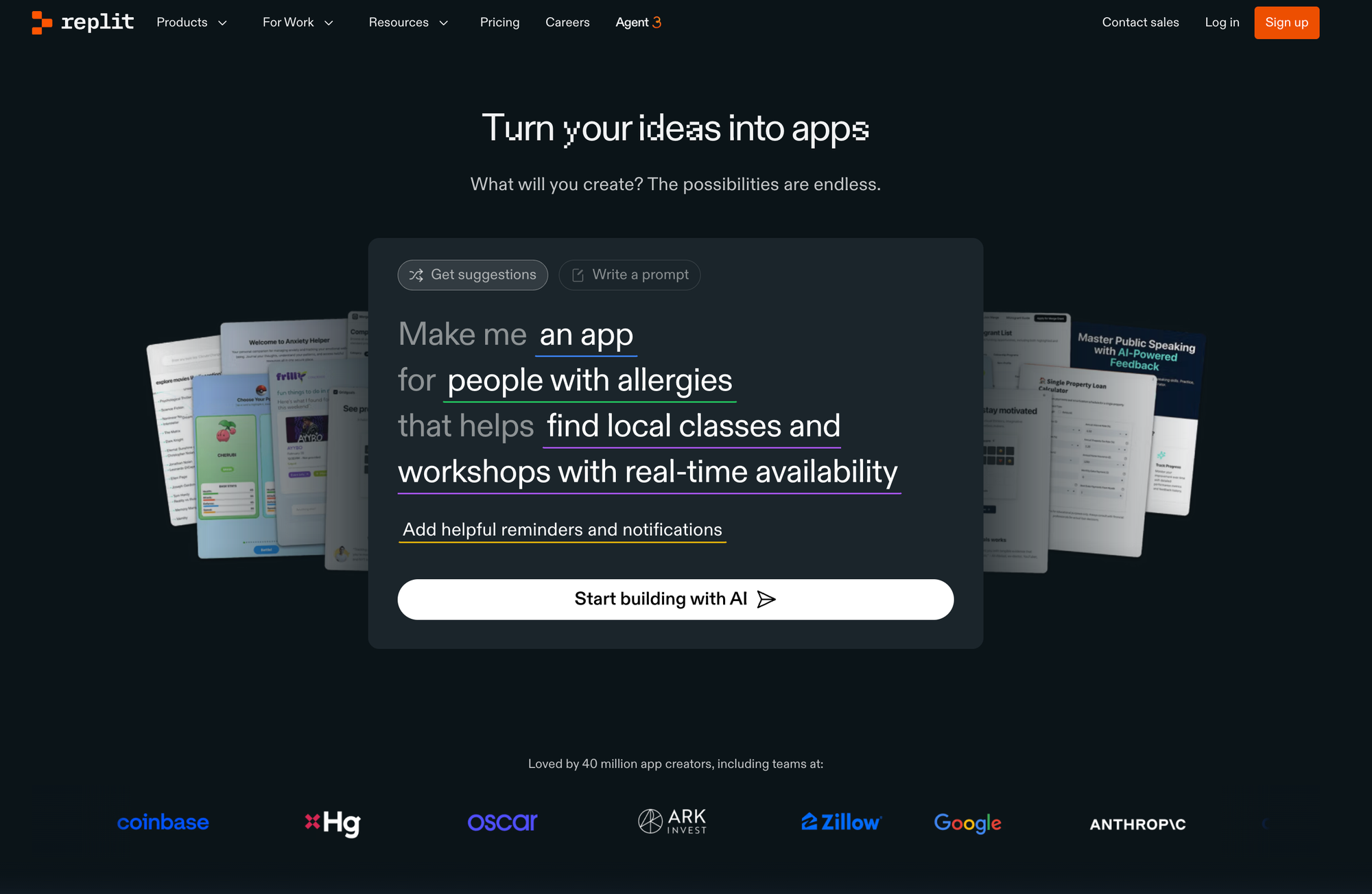
Whether you're comparing plans for your next project, tracking how the new "effort-based" AI pricing affects your costs, or exploring innovative no-code options like Capacity, this guide delivers in-depth, expert analysis to empower your decision.
Table of Contents
- Introduction: Navigating the Modern Code Workspace
- Replit Pricing Plans at a Glance
- Starter (Free)
- Core (Paid, Individual)
- Teams (Paid, Collaborative)
- Enterprise (Custom Solutions)
- Understanding Usage, Credits, and Fair Value
- AI Features and Effort-Based Pricing for Replit Agent
- Deployment & Compute Costs Explained
- Comparing Replit to AI-Driven No-Code Builders
- When to Consider Alternatives Like Capacity AI Web App Builder
- Expert Insights: Maximizing Value, Managing Cost
- Frequently Asked Questions
- Conclusion: Choosing the Right Platform for You
Introduction
The developer workspace is evolving. Platforms like Replit attract millions by merging powerful cloud IDEs, instant deployment, and AI code assistants. However, as advanced features (and their associated costs) multiply, potential users—students, solo founders, even well-funded teams—find themselves asking:
"How much will it actually cost to launch, scale, and operate on Replit?"
Pricing isn't just menu options. It impacts how you build, scale, collaborate, and even which technologies become accessible to you or your business. This guide takes an unbiased, holistic view: we break down every plan, explain usage-based billing and AI-related costs, scrutinize the intricacies of Replit’s evolving pricing models, and show where smarter, AI-first alternatives like Capacity.so can unlock more value or agility for your project.
Replit Pricing Plans at a Glance
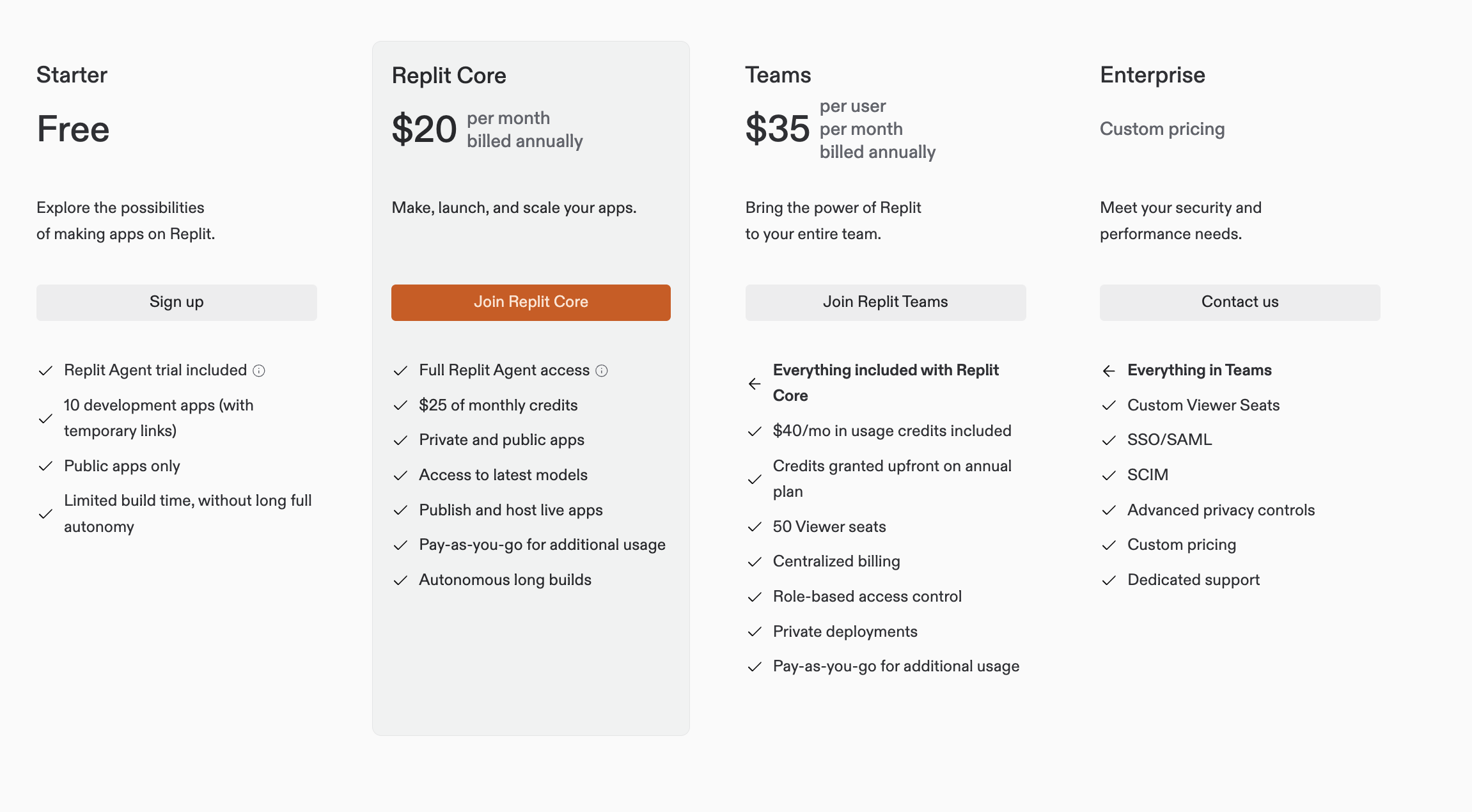
Replit structures its pricing across four tiers, aiming to cover everyone from hobbyists to global corporations. Each plan unlocks a distinct suite of features (and limitations), so understanding the differences is critical before you commit.
1. Starter (Free Plan)
Best For:
Beginners, students, experimental coders.
- Cost: Free (forever)
- Key Features:
- Replit Agent trial (limited)
- 10 development apps (temporary links; public only)
- 1 vCPU, 2 GiB memory per workspace
- Up to 1200 minutes of development time per month
- 2 GiB storage per app
- Basic code completion; limited build time
- Limitations:
- No private apps
- Cannot publish/host permanently
- Restricted AI agent capabilities and no advanced deployment
Very much a "try before you buy" sandbox—ideal for learning and pet projects but insufficient for anything business-critical or private.
2. Core (Paid, Individual)
Best For: Serious solo developers, indie hackers, freelancers.
- Cost: $20/month (billed annually) or $25/month (billed monthly)
- Key Features:
- $25/month in usage credits (applicable to AI, deployment, storage, etc.)
- Unlimited public and private apps
- Full Replit Agent access (including advanced AI models like GPT-4o, Claude)
- Production deployments (live apps)
- 4 vCPUs, 8 GiB memory per workspace
- Up to 50 GiB storage per app
- Unlimited development time
- Up to 3 collaborators per project
- Usage Beyond Credits: Pay-as-you-go for additional compute, deployments, heavy AI use, etc.
This is where Replit unlocks its full professional potential, but true cost depends on your actual app activity and AI consumption.
3. Teams (Paid, Collaborative)
Best For: Startups, agencies, classrooms, and organizations needing centralized collaboration.
- Cost: $35/user/month (billed annually)
- Key Features:
- Everything in Core, plus:
- $40/month in usage credits per user
- Up to 50 'viewer' seats (for clients, students)
- Role-based access control
- Centralized billing
- Private deployments and advanced privacy settings
- Collaborators: all team members
- Team-Ready Infrastructure: Enhanced resource allocation, more robust access control
Designed for groups shipping production software with shared responsibility and infrastructure governance.
4. Enterprise (Custom Solutions)
Best For: Larger organizations with advanced scale, compliance, or security needs.
- Cost: Custom (contact sales)
- Key Features:
- Everything in Teams
- Custom credits/seats packages, extended support
- Enterprise security: SSO/SAML, SCIM, advanced privacy controls
- Dedicated support and onboarding
- Custom deployments (private clouds, VPCs)
- Ideal for: Enterprises in regulated industries, edtech platforms, or high-scale production use.
Plan Comparison Table
| Plan | Cost | Credits | Private Apps | Collaborators | AI Agent | Team Features | SSO/Enterprise |
|---|---|---|---|---|---|---|---|
| Starter | Free | None | No | 1-3 | Limited | No | No |
| Core | $20/mo (annual) | $25/mo | Yes | Up to 3 | Advanced | No | No |
| Teams | $35/user/mo | $40/user/mo | Yes | All members | Advanced | Yes | No |
| Enterprise | Custom | Custom | Yes | Unlimited | Advanced | Yes | Yes |
Understanding Usage, Credits, and Fair Value
The Credit System
Instead of strict quotas, Replit uses a "credits" system. For example, a Core plan provides $25 in monthly credits to offset costs for:
- AI agent tasks (code generation/completion)
- App deployments (cloud hosting)
- Additional storage or data transfer needs
After credits are exhausted, additional usage (compute, AI calls, deployments) is billed “pay-as-you-go.”
Are Credits Enough?
- Casual use: For light or medium usage (small projects, infrequent AI calls, moderate deployments), credits typically suffice.
- Advanced/Heavy use: If you deploy multiple high-traffic apps, use advanced Replit Agent features, or require persistent compute, credits can run out fast—often leading to an effective bill several times the monthly flat rate.
Expert tip: Always monitor your usage dashboard and use "spending controls" and budgeting features. Predict costs by leveraging sample cost calculators (where available), especially before scaling or onboarding your team.
How Usage Is Measured
- Compute: Measured by vCPUs, RAM, and app uptime. Reserved VMs (for always-on apps) cost more than autoscaled, usage-triggered instances.
- AI Agent: Billed per task/checkpoint—using an "effort-based" model (see next section).
- Deployments and Data: Outbound data and storage beyond the included quota are billed separately.
- Team Seats: Teams and Enterprise bill per user (per seat), though viewer seats are often included in packages.
Monitoring these aspects is crucial to avoid “surprise” bills, especially for resource-intensive workloads.
AI Features and Effort-Based Pricing for Replit Agent
Replit Agent Overview
Replit’s AI Agent brings advanced coding assistance directly into the IDE, leveraging models such as GPT-4o and Claude.
Features Include:
- Code generation and completion
- Debugging suggestions
- Task automation ("build me X" or "fix this bug")
Pricing Model Evolution
Originally: Agent was billed per "checkpoint" ($0.25/checkpoint), where each checkpoint denoted a task or step.
In 2025: Shifted to an "effort-based" system—cost per request now varies dynamically based on task complexity and resources used.
What This Means:
- Simple requests (e.g., rename variable): May cost less than $0.25
- Complex requests (e.g., generate entire modules, full-stack app scaffolding): May cost more (sometimes several dollars if highly complex)
No more splitting complex tasks across multiple checkpoints: Instead, one checkpoint reflects the whole effort.
Example Cost Breakdown
| Task | Estimated Agent Credit Cost |
|---|---|
| Fix a typo | $0.05 - $0.10 |
| Generate a function | $0.10 - $0.25 |
| Scaffold RESTful API backend | $0.50 - $2.00+ |
| Debug/refactor legacy app | $1.00 - $5.00+ |
Insight: The AI Agent’s value grows with complexity, but so do costs. Power users ought to be mindful, as intensive sessions can quickly deplete monthly credits.
Deployment & Compute Costs Explained
Replit offers multiple deployment modes, each designed for different use cases and activity profiles.
Deployment costs are typically consumption-based and deducted from your credit balance before incurring overages.
Deployment Types
- Autoscale deployments: Ideal for unpredictable/set-and-forget traffic. App spins up in response to requests; pay only when in use.
- Reserved VM deployments: Dedicated resources for always-on or high-throughput production workloads. Higher, predictable monthly charge.
- Scheduled deployments: Useful for background tasks (e.g., nightly jobs, ETL processes). Priced per job/run.
- Static deployments: For static sites/documentation—minimal compute charge, pay for data transfer.
Factors Affecting Cost
- Compute resources: More vCPUs/RAM = more credits per hour
- Active time: Reserved = always billed, autoscale = billed per use
- Outbound data: Beyond included quota, billed per GiB
- Persistent storage: Billed by amount reserved, not just used
Insight: Replit’s model offers flexibility but lacks true “unlimited” billing. For large-scale or mission-critical production deployments, costs—and predictability—can quickly become pain points.
Comparing Replit to AI-Driven No-Code Builders
Why Consider No-Code/Low-Code Alternatives?
For many, the allure of platforms like Replit is the promise of rapid prototyping and AI assistance. However, even with code-completion, using Replit still requires coding skill, management of dependencies, and a good grasp of modern full-stack development.
This is where AI-powered no-code solutions like Capacity enter as compelling alternatives, especially for:
- Non-coders and business founders who need custom apps
- Teams that want to iterate quickly—without worrying about platform credit limits or scaling infrastructure
- Builders seeking full, production-ready source code ownership and easy export
Capacity AI Web App Builder: A Modern Solution
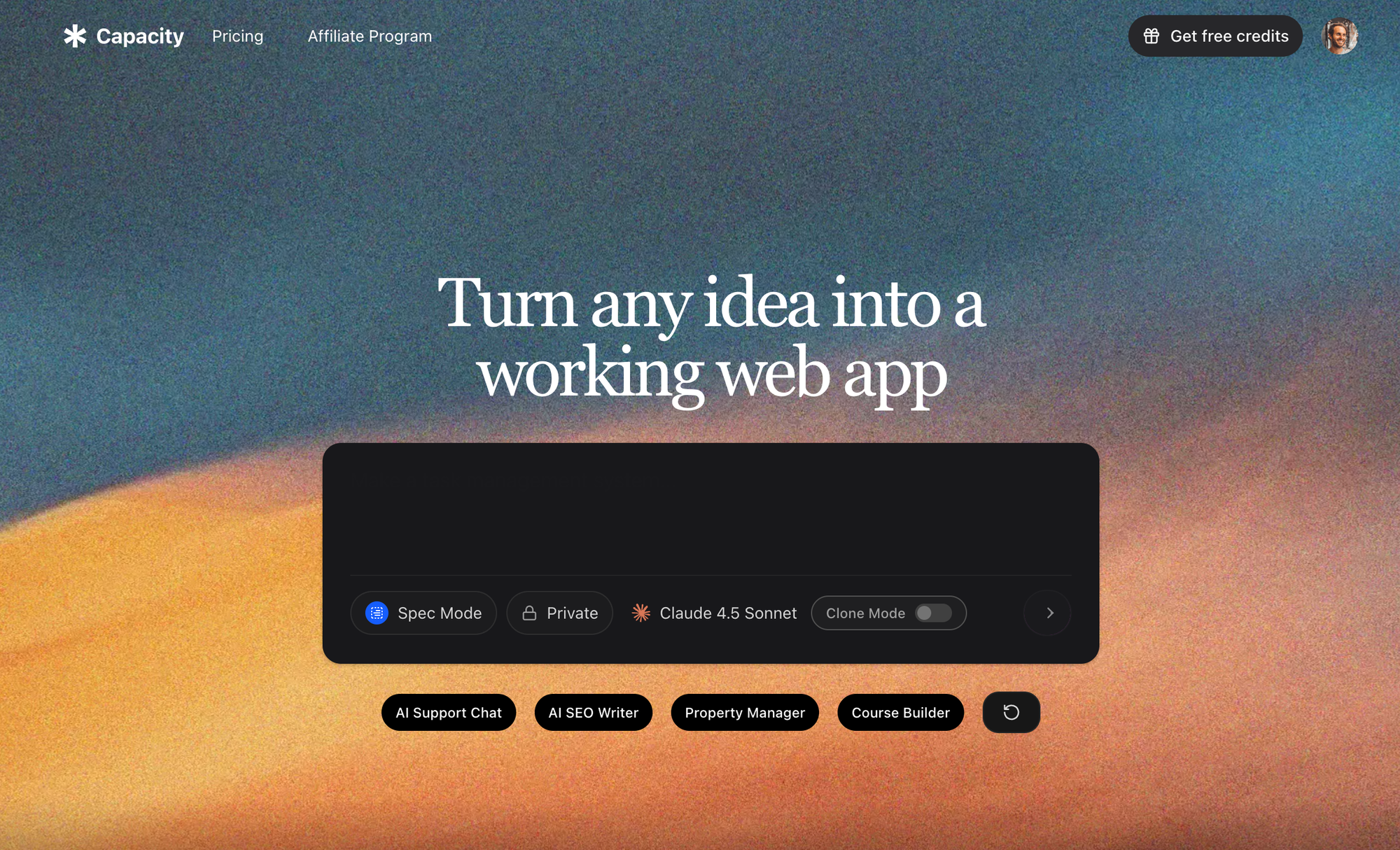
Capacity transforms an idea—expressed in natural language—into a deployable Next.js application, complete with:
- Custom dashboards, tools, property managers, course platforms, etc.
- No coding required: AI understands requirements and outputs code using the latest open source tech (TypeScript, Tailwind CSS, tRPC/REST APIs)
- Exportable, production-quality code: Take your app anywhere—deploy on your infra, Vercel, AWS, or download for self-hosting
- Instant deployment / collaboration: Build with your team in real-time, no IDE or server setup required
For founders and teams prioritizing speed, flexibility, and no learning curve, AI-driven builders often outpace traditional cloud IDEs in both cost and agility.
Expert Insight: AI-native platforms streamline projects that would otherwise require weeks of manual dev work—without the cost surprises or skill requirements of conventional platforms.
Expert Insights: Maximizing Value, Managing Cost
1. Match Plan to Project Scale
- Learning/sandboxing: Free/Starter is safe for experimenting; costs are nil.
- Freelance/solo projects: Core is appropriate, but budget for overages if apps see real traffic or heavy AI use.
- Startup or edu teams: Teams plan enables collaboration, but accurate seat counting is key to controlling spend.
- Enterprise: Only worthwhile if compliance/security and support requirements demand it.
2. Understand the AI “Effort-Based” Model
- Test and budget: Run your app AI-heavy tasks in stages and log actual checkpoint costs. Keep a running tally.
- Monitor high-intensity sessions: Code refactoring, full-app scaffolding, or complex debugging can burn through your credits quickly.
3. Leverage Usage Analytics
- Set usage alerts/spending controls: Avoid accidental overages by setting limits within your account dashboard.
- Explore bill predictability: Use sample cost calculators if provided, and ask support for real-world cost estimates as your workload grows.
4. Consider Ownership and Portability
- If code export and portability matter: Look for solutions (like Capacity.so ) that let you download and host your application, not just run it in a proprietary cloud.
5. Balance Coding Skills vs. Productivity
- If you want hands-on control: Replit suits those happy to work in code, troubleshoot, and manage cloud resources.
- If your priority is getting apps into production, fast: AI-powered no-code tools may deliver more for less—both in actual price and opportunity cost.
Frequently Asked Questions
Q: What happens if I exceed my Replit plan’s credits or resource limits?
- You’ll pay “overages” on a pay-as-you-go basis, which can quickly amount to more than your base monthly subscription.
Q: Are there hidden costs in Replit’s pricing?
- While transparent, Replit’s usage-based billing structure can be unpredictable, especially for heavy AI assistance or persistent deployments.
Q: Can I export my Replit app and host it elsewhere?
- You can download your code and migrate off-platform, but this typically requires additional setup—not as seamless as AI-native builders like Capacity, which generate production-ready, portable code by design.
Q: Which plan is best for teams?
- Teams or Enterprise plans, depending on your security, compliance, and scale needs. Calculate your real seat requirements to avoid paying for unused capacity.
Q: How quickly do AI agent credits deplete for real development work?
- Complex requests (multi-file generation, debugging, code reviews) can exhaust credits in just a few sessions. Monitor your dashboard closely.
Conclusion
Replit’s pricing model has evolved to balance flexibility with predictability—offering a sensible path from free learning to robust enterprise apps. Yet, with the adoption of pay-as-you-go AI, deployment, and storage billing, real-world monthly costs can vary widely based on your usage profile.
- For most, Starter and Core plans offer good initial value, but those aiming for sustained app deployment or leveraging advanced AI must keep a careful eye on utilization and overage fees.
- Teams and enterprises benefit from collaboration and governance—but should model their spend against actual business requirements.
If your goal is to build, ship, and iterate at the speed of thought—especially without code or with full source code exportability—modern no-code tools like Capacity provide an increasingly attractive alternative. With instant app generation, real code output, seamless deployment, and collaborative features, they enable businesses and founders to sidestep coding bottlenecks and unpredictable cost structures.
Ultimately:
- Understand your project’s scale, technical needs, and appetite for ongoing management
- Model your anticipated resource/AI workload before committing fully
- Don’t overlook AI-native or no-code platforms as part of your modern developer toolkit
By taking an informed, strategic approach to pricing and platform selection, you’ll maximize both your budget and your app’s potential for success in the modern cloud era.