
What Is V0.dev? Vercel's AI UI Builder Explained (2026)
What Is V0.dev? Vercel's AI UI Builder Explained (2026)
What Is V0.dev?
V0.dev (now at v0.app) is an AI-powered UI builder made by Vercel, the company behind Next.js. You describe what you want in plain English, and V0 generates working React components, full pages, and even complete web applications.
Think of it as ChatGPT, but specifically trained to write frontend code. Instead of getting a text response, you get a live, interactive UI that you can tweak, deploy, and use in real projects.
V0 launched in late 2023 as an experimental tool for generating UI components. Back then, it was relatively simple: you'd type a prompt, get a component, and copy-paste the code into your project. Since then, it has evolved into something much bigger. In 2025 and into 2026, Vercel turned V0 into a full-stack app builder that can handle databases, APIs, authentication, and deployment, not just pretty buttons and forms.
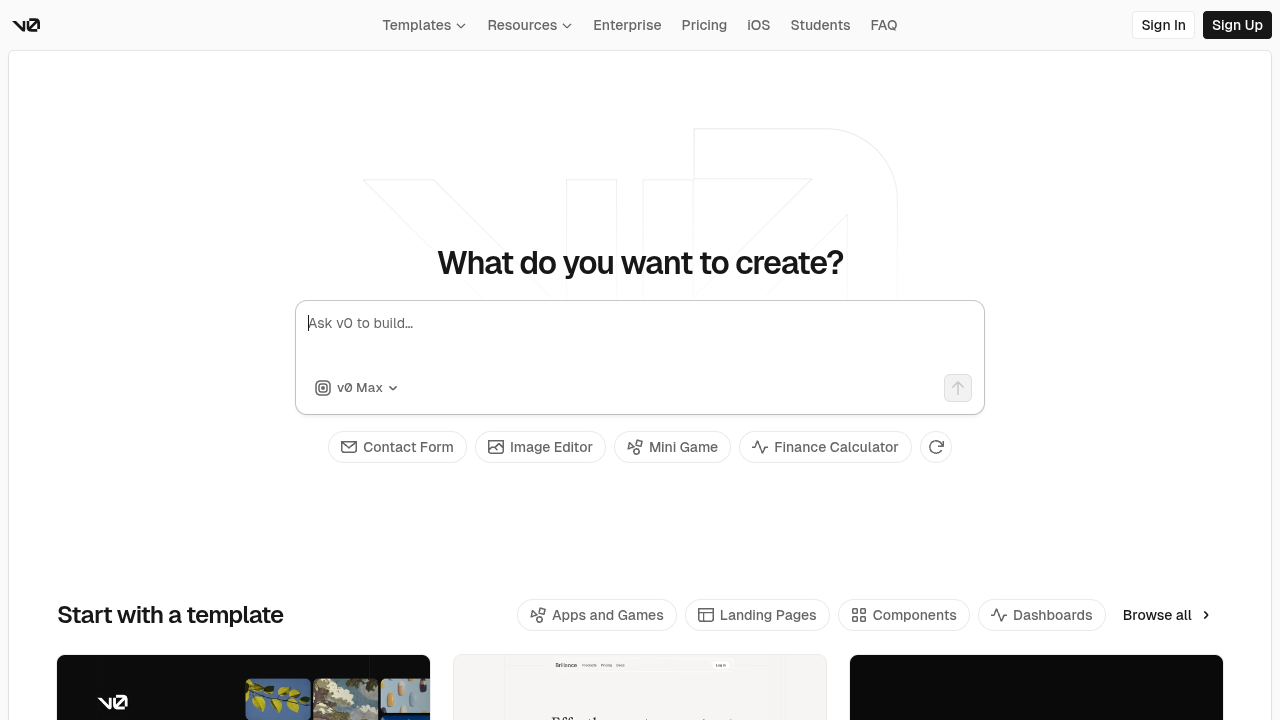
The core idea is simple: you type a prompt like "build me a dashboard with a sidebar, charts, and a data table," and V0 generates the code using React, Next.js, Tailwind CSS, and shadcn/ui components. You can then iterate on the design by chatting with the AI, export the code, or deploy it directly to Vercel's hosting platform.
V0 sits at an interesting intersection. It's more than a code snippet generator but less than a full no-code app builder. It's a developer productivity tool that happens to have a very polished UI. Understanding where it fits (and where it doesn't) is key to deciding if it's right for you.
How Does V0 Work?
V0 works through a chat-based interface. You open v0.dev (which now redirects to v0.app), type what you want to build, and the AI starts generating code in real time. The experience feels similar to chatting with an AI assistant, except the responses are live, interactive UI previews instead of text.
Here's the typical workflow:
- Describe your idea. You write a prompt. It can be vague ("build me a landing page for a SaaS product") or very specific ("create a responsive pricing table with three tiers, a toggle for monthly/annual billing, and a highlighted recommended plan"). The more detail you provide, the better the result.
- V0 generates the code. The AI produces React/Next.js components using Tailwind CSS for styling and shadcn/ui for the component library. You see a live preview instantly. The code is visible in a side panel, so you can inspect exactly what was generated.
- Iterate and refine. Don't like something? Just tell V0 what to change. "Make the header sticky," "add a dark mode toggle," "change the color scheme to blue." It updates the code accordingly. This conversational iteration is one of V0's strongest features. You can go back and forth dozens of times until the result matches your vision.
- Export or deploy. Once you're happy, you can copy the code into your own project, push it to a GitHub repo, or deploy it directly to Vercel with one click. The deployment creates a live URL in seconds.
The Tech Stack
V0 is deeply integrated with the Vercel/Next.js ecosystem. Everything it generates uses:
- React for the component framework
- Next.js for the app structure, routing, and server-side rendering
- Tailwind CSS for utility-first styling
- shadcn/ui for pre-built, accessible UI components
- TypeScript by default for type safety
This is great if you already work within the Next.js ecosystem. The generated code follows best practices and is easy to integrate into existing Next.js projects. However, if you use Vue, Svelte, Angular, or plain HTML/CSS, V0's output will need significant reworking. There's no option to generate code in a different framework.
Agentic Mode
One of V0's newer features is what Vercel calls "agentic" behavior. Instead of just generating a single component, V0 can now plan multi-step tasks. It breaks down your request into subtasks, creates database schemas, sets up API routes, and connects everything together.
For example, if you ask V0 to "build a todo app with user authentication and a database," it will plan the work in steps: set up the database schema, create the authentication flow, build the UI components, and wire everything together. It's closer to having a junior developer working on your project than just a code snippet generator.
That said, the agentic mode is still maturing. Complex multi-step tasks can sometimes go off track, requiring you to course-correct with additional prompts. For straightforward UI work, it performs well. For intricate business logic, expect to do some manual work.
Key Features of V0.dev
1. Prompt-to-UI Generation
The headline feature. Type what you want, get working UI code. V0 handles layout, styling, responsiveness, and basic interactivity. The quality of output has improved significantly since launch, and most generated components are production-ready with minor tweaks.
What sets V0 apart from generic AI code generation (like asking ChatGPT for React code) is the live preview and the specialized training. V0 consistently produces better UI code than general-purpose LLMs because it's been fine-tuned specifically for this task.
2. Design Mode
V0 includes a visual editor called Design Mode. Instead of writing prompts, you can click on elements and adjust them visually: change colors, move things around, resize components, update text. It's like a simplified Figma built into the code editor.
This is useful for designers and less technical team members who want to make quick visual changes without touching code. You can switch between prompt-based editing and visual editing at any time, which gives you flexibility in how you work.
3. Figma Import
If you already have designs in Figma, V0 can import them and convert them into working React code. This bridges the gap between design and development. The conversion isn't always perfect (complex animations, custom interactions, and highly artistic layouts may need manual work), but for standard layouts, cards, forms, and navigation components, it works reliably.
Note that Figma import is only available on the Premium plan ($20/month) and above.
4. GitHub Sync
V0 can connect directly to your GitHub repositories. You can push generated code to a repo, create branches, and even open pull requests. This makes it easy to integrate V0's output into existing projects without copy-pasting code manually. For teams with established Git workflows, this is a significant productivity feature.
5. One-Click Vercel Deployment
Since V0 is built by Vercel, deployment is seamless. Click "Deploy," and your app goes live on Vercel's infrastructure with a URL you can share immediately. SSL certificates, CDN distribution, and basic hosting are all handled automatically. For prototypes and demos, this is incredibly convenient.
6. Templates Library
V0 offers a growing library of community-created templates. These range from landing pages and dashboards to mini games and design systems. Some templates have thousands of forks, indicating genuine community adoption. You can fork any template and customize it with prompts, which is a good starting point if you don't want to build from scratch.
The template categories include: Apps and Games, Landing Pages, Components, and Dashboards. The quality varies since anyone can submit templates, but the popular ones are generally well-built.
7. Design Systems
You can define custom design systems in V0 with specific colors, typography, and component styles. Once set up, all generated code follows your design system. This is particularly useful for teams and agencies that need consistency across multiple projects or client work.
8. Multiple AI Models
V0 offers different AI model tiers: Mini (fast, cheapest), Pro (balanced), Max (most capable), and Max Fast (maximum intelligence with 2.5x faster output). You can choose the model based on your needs and budget. More complex tasks benefit from Max, while quick iterations work fine with Mini.
9. iOS App
V0 has a mobile app for iOS, letting you build and iterate on projects from your phone. It's surprisingly functional for quick edits, brainstorming ideas, and reviewing generated code on the go. Serious building is still better on desktop, but the mobile experience is polished.
V0.dev Pricing in 2026
V0 uses a credit-based pricing system. Your monthly subscription includes a certain amount of credits, and each AI interaction consumes credits based on the model used and the complexity of the task. Here's the full breakdown:
Free Plan - $0/month
- $5 of included monthly credits
- Deploy apps to Vercel
- Edit visually with Design Mode
- Sync with GitHub
- 7 messages per day limit
The free tier is fine for trying V0 out and generating a handful of components. The 7-message daily limit is the real constraint. If you're seriously evaluating V0, you'll hit this limit within your first session.
Premium Plan - $20/month
- $20 of included monthly credits
- $2 of free daily credits when you log in
- Purchase additional credits as needed
- 5x higher attachment size limits
- Import from Figma
The Premium plan is where V0 becomes genuinely useful. The $2 daily login bonus adds up to roughly $60/month if you log in every day, giving you $80 total in credits. That's a solid amount for regular use.
Team Plan - $30/user/month
- $30 of included monthly credits per user
- $2 of free daily credits on login per user
- Shared credit pool across team
- Centralized billing via vercel.com
- Share chats and collaborate with teammates
Business Plan - $100/user/month
- $30 of included monthly credits per user
- $2 of free daily credits on login per user
- Training opt-out by default (your code isn't used to train V0's models)
- Shared credits and centralized billing
- Team collaboration features
The jump from $30 to $100 per user is steep, and the main difference is training opt-out. If your team works with proprietary designs or sensitive client projects, this matters. Otherwise, the Team plan offers the same core functionality.
Enterprise - Custom Pricing
- SAML SSO
- Role-based access control
- Priority access (no queues, better performance)
- Guaranteed customer support SLAs
- Training opt-out by default
Understanding the Credit System
The credit-based system can be tricky to predict. Complex prompts using the Max model consume significantly more credits than simple ones using Mini. If you're building actively with the Max model, you might burn through $20 in monthly credits in a single day of heavy use.
Here's how model pricing breaks down per million tokens:
- V0 Mini: $1 input / $5 output
- V0 Pro: $3 input / $15 output
- V0 Max: $5 input / $25 output
- V0 Max Fast: $30 input / $150 output (the premium speed option)
The practical advice: use Mini for simple tasks and component tweaks. Switch to Pro or Max only when you need higher quality output for complex layouts or full-page designs. Max Fast is a luxury option for teams that value speed over cost.
V0.dev Pros and Cons (Honest Assessment)
What V0 Does Well
- Excellent code quality. V0 generates clean, well-structured React/TypeScript code that follows modern best practices. The output is genuinely production-ready for component-level work.
- Deep Vercel integration. If you're already in the Vercel ecosystem, V0 fits perfectly. One-click deployment, GitHub sync, and Next.js optimization are all built in and work smoothly.
- Best-in-class component generation. Where V0 really shines is generating individual UI components: forms, tables, cards, navigation menus, modals. These are consistently high quality and well-designed.
- Design Mode for visual editing. The visual editor makes V0 accessible to designers and less technical team members who prefer clicking over typing prompts.
- Rapid iteration. The chat-based workflow lets you refine designs quickly. Going from rough idea to polished component takes minutes, not hours.
- Active development. Vercel is investing heavily in V0. New features ship regularly, and the product improves noticeably every few months.
- Growing community. The template library and community contributions provide useful starting points and inspiration.
Where V0 Falls Short
- Locked into React/Next.js. No Vue, no Svelte, no Angular, no plain HTML. If you don't use React, V0's output isn't directly useful. This is a fundamental limitation, not a bug.
- Confusing pricing. Monthly credits, daily login credits, per-model token pricing, purchasable credit packs. It takes real effort to understand what you'll actually spend.
- Full-stack apps need manual work. V0 can scaffold database schemas and API routes, but complex business logic, error handling, and edge cases still require a developer to refine.
- Vercel lock-in. While you can export code, the smoothest experience pushes you toward Vercel's infrastructure for deployment and hosting. Breaking free requires extra work.
- Not truly no-code. Despite the "describe and build" interface, V0 is fundamentally a code generation tool. Non-technical users will hit walls when they need to debug, customize logic, or handle errors in the generated code.
- Prompt skill matters a lot. Vague prompts produce mediocre results. Getting good output requires learning how to write effective, detailed prompts. There's a real learning curve.
- Costs can escalate. Heavy use on the Max model burns through credits fast. Teams building multiple projects simultaneously may find costs add up well beyond the base subscription.
Who Is V0.dev For?
V0 works best for specific types of users and use cases. Here's an honest breakdown:
Frontend Developers
If you're a React/Next.js developer, V0 is a legitimate productivity booster. It's great for scaffolding components, generating boilerplate, prototyping layouts, and exploring design ideas. Think of it as a more capable version of code snippets and starter templates. The time savings on repetitive UI work are real.
Designers Who Code (a Little)
Designers who understand basic React concepts can use V0 to turn their designs into working prototypes quickly. The Figma import and Design Mode features are specifically built for this audience. It's a great way to go from mockup to interactive prototype without waiting for a developer.
Startups Building MVPs
If you need a working frontend fast and you're building on Next.js, V0 can save days of development time. It's particularly useful for landing pages, dashboards, and CRUD interfaces. For an early-stage startup trying to validate an idea, that speed matters.
Teams Needing UI Consistency
The design system feature makes V0 useful for teams that need to maintain visual consistency across multiple projects. Define your system once, and every generated component follows the same patterns.
Who V0 Is NOT For
- Non-technical founders. Despite being an "AI builder," V0 still requires coding knowledge to work with the output effectively. If you can't read and modify React code, you'll struggle to build anything beyond basic prototypes.
- Teams using Vue, Angular, or Svelte. V0 only generates React/Next.js code. There's no workaround for this.
- People who want a complete app without coding. V0 generates code that still needs to be assembled, tested, deployed, and maintained by someone with technical skills. It's not a no-code platform. For that, look at tools like Capacity.so.
- Backend-heavy projects. If your app's complexity is primarily in the backend (complex data processing, third-party integrations, custom algorithms), V0's frontend focus won't help much.
Best V0.dev Alternatives in 2026
V0 is a solid tool, but it's not the only option. Depending on your technical level, framework preferences, and what you're trying to build, one of these alternatives might be a better fit.
1. Capacity.so - Best Overall Alternative

Capacity.so takes a fundamentally different approach from V0. Instead of generating code you need to understand and maintain, Capacity builds complete, functional web applications from text descriptions. You describe what you want, and Capacity handles everything: frontend, backend, database, authentication, and deployment.
The key difference is accessibility. V0 requires React knowledge to work with its output effectively. Capacity doesn't require any coding experience. You describe your app in plain language, refine it through conversation with an AI co-founder, and deploy with one click. The result is a live, working application, not a code snippet you need to assemble.
Capacity is ideal for non-technical founders, entrepreneurs validating ideas, small businesses that need custom tools, and anyone who wants to go from concept to deployed app without writing code. It handles the full stack, including databases, user authentication, payment integration, and responsive design.
If V0 is a power tool for developers, Capacity is the complete workshop for everyone. You get the speed of AI generation with the completeness of a full development team.
2. Bolt.new
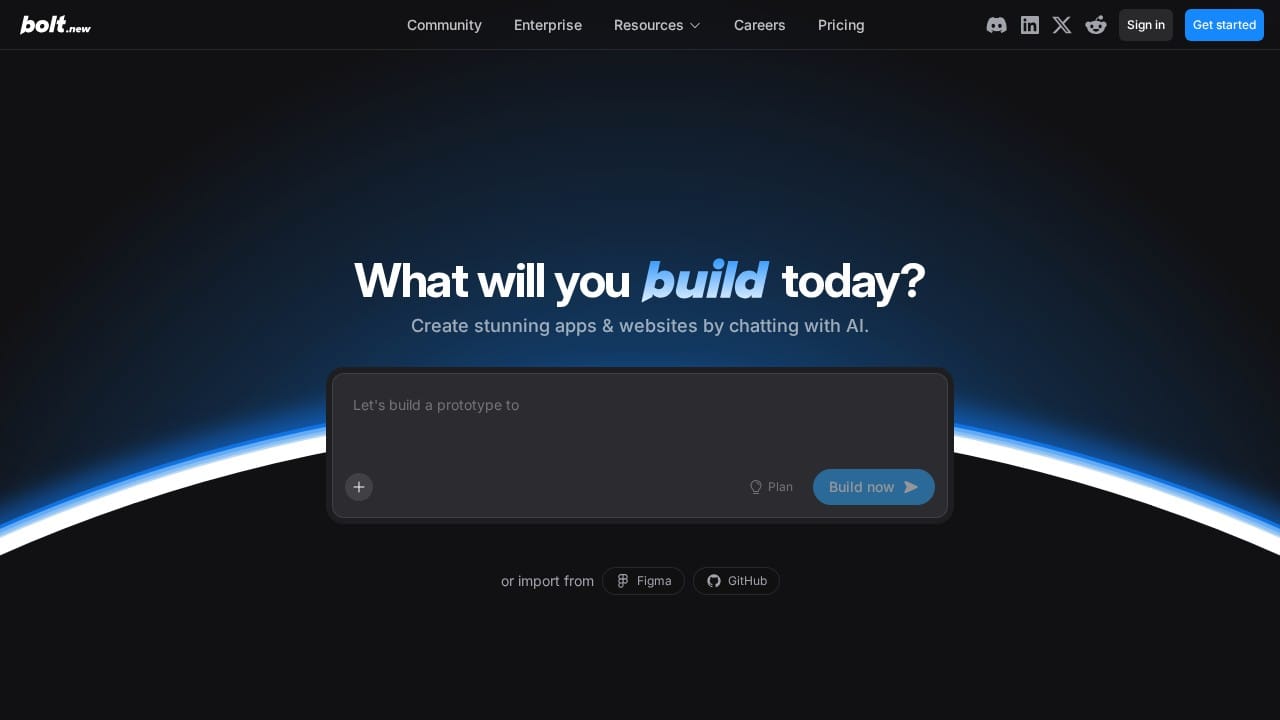
Bolt.new by StackBlitz is another AI code generation tool that works entirely in the browser. Like V0, it generates full-stack applications from prompts. The key difference is that Bolt isn't locked into the React/Next.js ecosystem. It supports multiple frameworks including Vue, Svelte, and others, and gives you a full development environment (WebContainer) right in the browser.
Bolt is more flexible than V0 in terms of framework choice, but the generated code quality can be less consistent. It's a good option for developers who want AI-assisted coding without being tied to Vercel's stack. The browser-based IDE is also more feature-rich than V0's editor.
3. Lovable (formerly GPT Engineer)
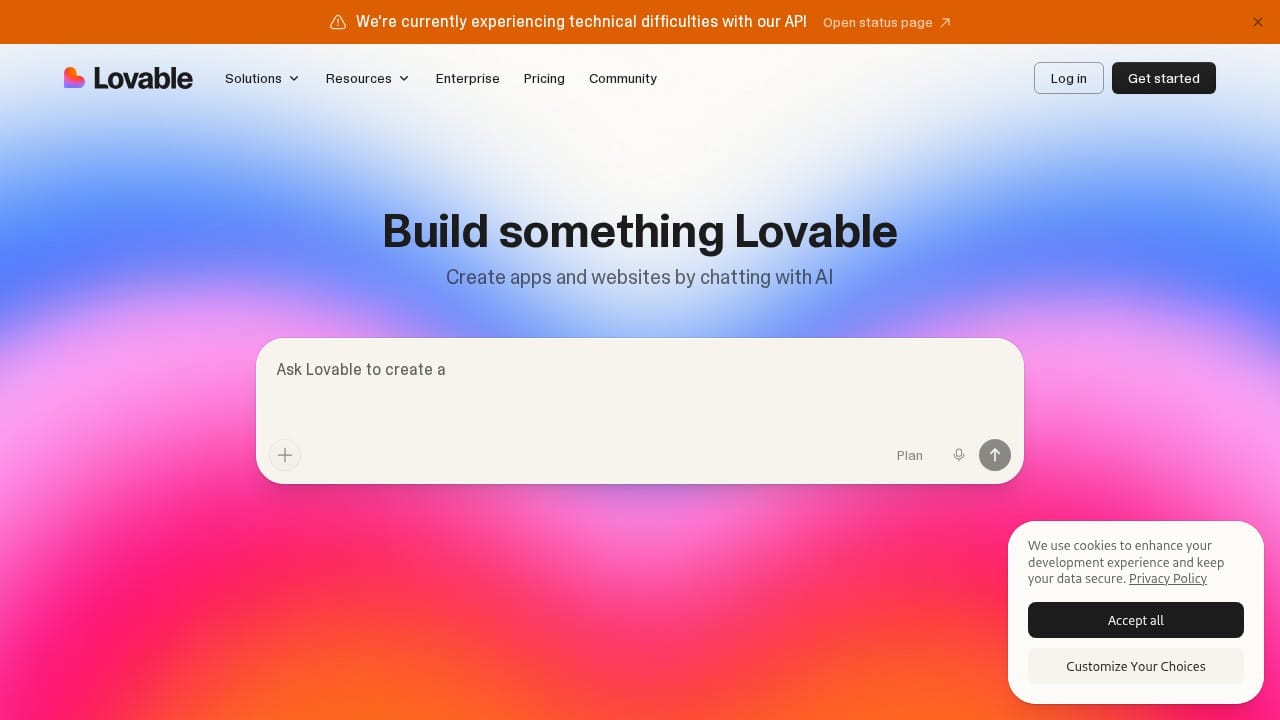
Lovable positions itself as an AI full-stack engineer. It generates complete applications with both frontend and backend code, handles deployment, and supports iterative development through chat. The UI quality tends to be polished out of the box, often better-looking than raw V0 output.
Compared to V0, Lovable is more opinionated about the full application structure and tries to give you a complete working app rather than components. It works well for quick prototypes and MVPs but can be harder to customize when you need specific, detailed control over the code.
4. Cursor
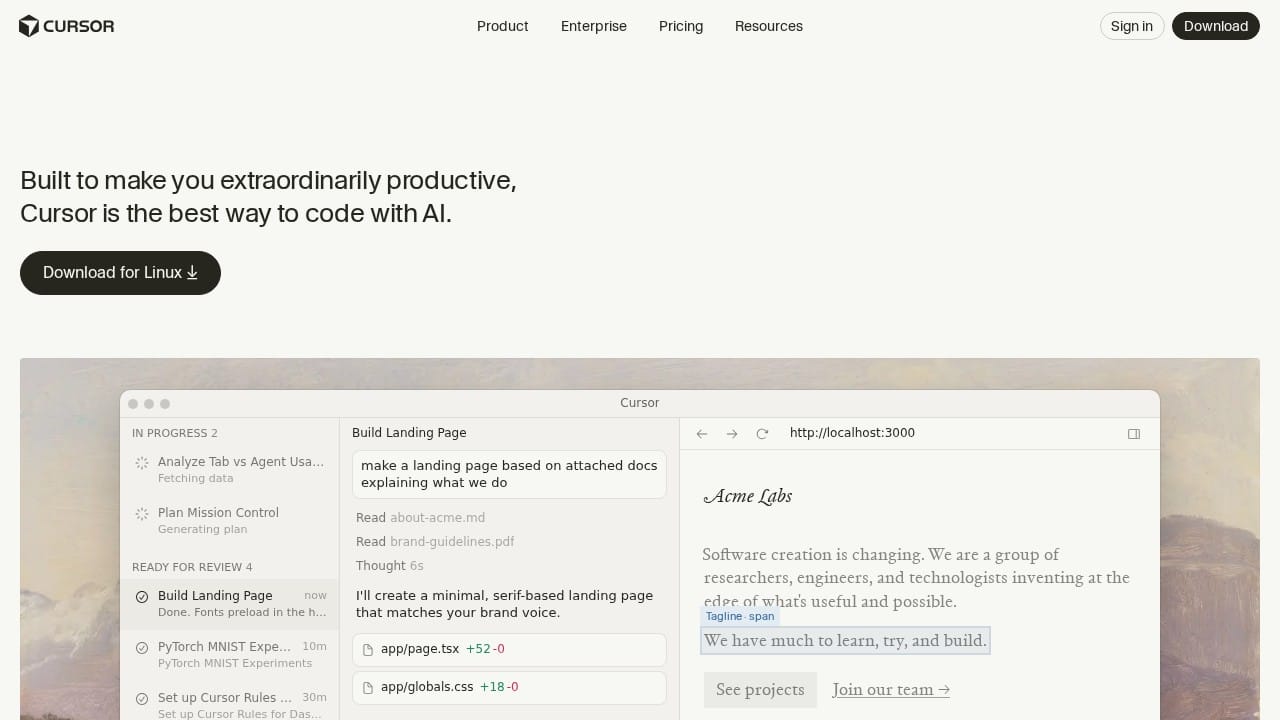
Cursor is an AI-powered code editor (a VS Code fork) rather than a UI builder. It's in a different category from V0, focused on helping developers write code faster within a full IDE environment. Cursor excels at code completion, refactoring, understanding large codebases, and making multi-file edits.
If you want AI help while coding in your own environment with full control over every line of code, Cursor is the better choice. If you want to generate UI from prompts without setting up a local dev environment, V0 is more appropriate. Many developers use both: V0 for rapid prototyping, Cursor for building the actual application.
5. Replit
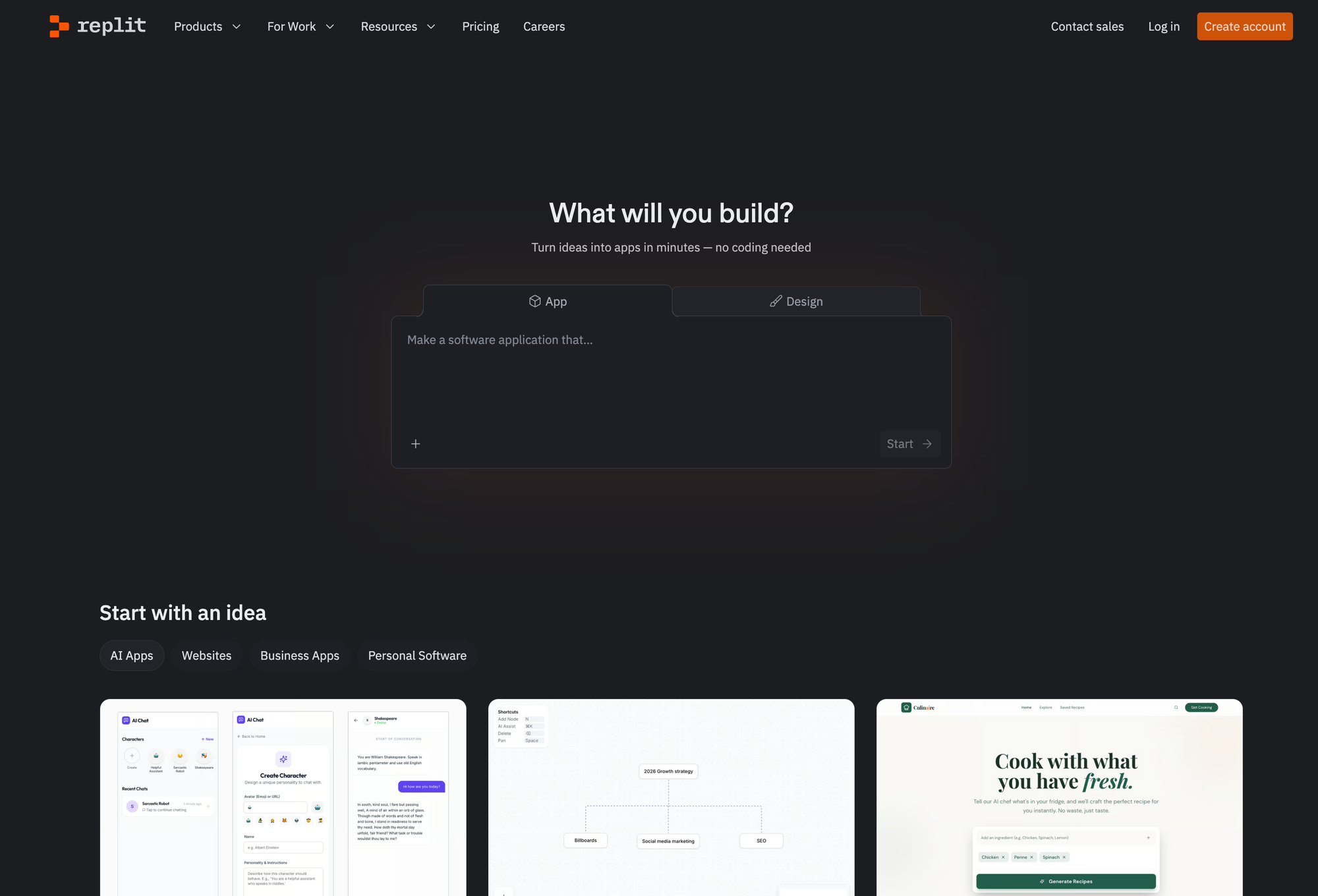
Replit combines a cloud IDE with AI capabilities. Its AI agent can generate and deploy full applications from prompts, similar to V0 but with support for many more languages and frameworks (Python, Node.js, Ruby, Go, and more). Replit also provides built-in hosting, databases, and collaboration tools.
Replit is more versatile than V0 for non-React projects but less specialized for UI generation. The AI output quality for frontend work isn't quite as polished as V0's React components. Replit is a better choice if you need a full cloud development environment rather than just a UI generator.
6. Windsurf
Windsurf (by Codeium) is another AI coding IDE that competes more directly with Cursor than with V0. It offers "Cascade," an agentic AI that can make multi-file edits and understand full project context. Like Cursor, it's aimed at developers who want AI assistance within a traditional coding workflow rather than a prompt-based generation approach.
V0.dev vs Other Tools: Quick Comparison
| Feature | V0.dev | Capacity.so | Bolt.new | Lovable |
|---|---|---|---|---|
| Approach | AI code generation | Full app builder | AI code generation | AI full-stack builder |
| Coding required? | Yes (React) | No | Yes | Minimal |
| Framework | React/Next.js only | Framework-agnostic | Multiple | React-based |
| Backend support | Limited (Vercel-focused) | Full stack included | Yes | Yes (Supabase) |
| Deployment | Vercel only | One-click | Netlify/others | Built-in |
| Free tier | $5 credits/month | Yes | Limited | Limited |
| Visual editor | Design Mode | AI-guided | Code-focused | Chat-based |
| Best for | React developers | Everyone | Multi-framework devs | Quick prototypes |
Frequently Asked Questions
Is V0.dev free to use?
V0 has a free tier that includes $5 worth of monthly credits and a 7-message daily limit. This is enough to try it out and generate a few components, but serious use requires the Premium plan ($20/month) or higher. The free tier doesn't include Figma import.
What happened to v0.dev? Why does it redirect to v0.app?
Vercel moved V0 from v0.dev to v0.app. The old domain still works and redirects automatically. The product is the same, just at a new URL. All your existing projects and account data carried over.
Can I use V0 without knowing how to code?
You can generate UI components without coding knowledge, and Design Mode lets you make visual adjustments. However, you'll need to understand React/Next.js to actually use the output in a real project, debug issues, or add custom functionality. For a truly no-code experience, tools like Capacity.so are a better fit.
Does V0 generate production-ready code?
For UI components, yes. The generated React/TypeScript code is clean, well-typed, and follows modern best practices. For full applications with complex business logic, authentication flows, and database operations, you'll likely need a developer to refine and extend the generated code.
Can I export V0 code and use it outside of Vercel?
Yes. V0 generates standard React/Next.js code that you can copy and use in any project. You're not locked into deploying on Vercel, though Vercel deployment is the most seamless option. The code uses standard npm packages, so it runs anywhere Node.js runs.
How does V0 compare to just using ChatGPT for code?
V0 is specifically optimized for UI generation and comes with a live preview, deployment pipeline, version control, and iterative editing. ChatGPT can write React code, but V0 provides the full workflow: generate, preview, iterate, and deploy in one interface. The output quality for UI tasks is also generally higher with V0 because it uses specialized models trained on UI patterns.
Is V0.dev worth paying for?
If you're a React developer who builds UIs regularly, the $20/month Premium plan can pay for itself in time saved on the first day. If you only occasionally need UI components, the free tier may be sufficient. For non-developers or teams building complete applications (not just UI components), the value proposition is weaker, and alternatives like Capacity.so offer more complete solutions.
What's the difference between V0 Mini, Pro, Max, and Max Fast?
These are different AI models within V0, each with different speed and capability tradeoffs. Mini is the fastest and cheapest, good for simple component edits. Pro offers a balance of speed and quality for everyday use. Max provides the best results for complex, multi-component work. Max Fast gives you Max-level intelligence with 2.5x faster output speed, but at roughly 6x the cost of regular Max.
Can V0 build a complete web application?
V0 can generate the frontend and basic backend structure for web applications, including database schemas and API routes. However, building a truly complete application (with error handling, edge cases, security hardening, and thorough testing) still requires developer involvement. V0 gets you 60-80% of the way there for typical projects.
Conclusion
V0.dev is one of the most polished AI UI generation tools available in 2026. If you're a frontend developer working with React and Next.js, it's genuinely useful for prototyping, scaffolding components, and speeding up your workflow. The Vercel integration makes deployment effortless, and the code quality is consistently good.
But V0 has clear limitations. It's locked into the React ecosystem, the credit-based pricing can get expensive for heavy users, and it's not designed for non-technical users who want to build complete applications without coding.
For React developers, V0 is a valuable addition to your toolkit. It won't replace you, but it will make you faster. For designers, it's a bridge between mockups and working prototypes. For everyone else, the barrier to entry remains too high.
If you're looking for something that goes beyond code generation and lets anyone build full, working applications from a description, Capacity.so is worth checking out. It handles the entire process from idea to deployed app, no React knowledge required.
The right tool depends on what you're building and your technical background. Try V0's free tier to see if it fits your workflow. And if you find yourself wanting something more complete, you know where to look.