
How Can I Create a Website With AI? A Step-by-Step Guide
How Can I Create a Website With AI? A Step-by-Step Guide
In recent years, the process of building a website has undergone a transformative shift. Artificial intelligence (AI) now plays a leading role in democratizing web development making it accessible to entrepreneurs, freelancers, creators, businesses, and anyone with an idea. What once required extensive coding knowledge and days or weeks of work can now be accomplished in minutes, often without writing a single line of code.
But how does AI really enable this? What are the best practices for creating a website with AI, and which tools offer genuine value (beyond just pretty templates)? In this comprehensive guide, we’ll explore the AI-powered website creation landscape, walk through the process step-by-step, address key considerations, and spotlight expert solutions such as Capacity, an industry-leading AI development platform.
Whether you’re aiming to launch a personal brand, a marketing site, a SaaS dashboard, or something uniquely yours, this article will equip you with everything you need to build a website with AI—fast, efficiently, and with professional results.
Table of Contents
- Why Build a Website With AI?
- How Do AI Website Builders Work?
- Key Features to Look For in an AI Website Builder
- Step-by-Step: Creating a Website With AI
- Capacity: An AI-Driven Development Powerhouse
- Best Practices for AI Website Creation
- Common Mistakes to Avoid
- Real-World Examples: What’s Possible with AI Website Builders?
- The Future of AI in Web Development
- Conclusion: Empower Your Ideas With AI
Why Build a Website With AI?
The Pressing Need for Speed, Simplicity, and Scalability
Traditional web development requires a blend of design skill, coding expertise, and time-consuming project management. For many, this is a barrier to entry: according to a 2023 Statista report, approximately 38% of small business owners cited “complexity” as the main reason for not creating a website.
AI website builders change the equation by:
- Automating design, content, and code generation: Transforming a simple business or project description into a fully functional, visually appealing website structure.
- Accelerating time-to-launch: Websites that once took weeks can now go live in minutes or hours.
- Lowering cost and expertise barriers: No need for advanced coding, design know-how, or large budgets.
- Enabling scalability and rapid iteration: AI can easily generate new sections, update content, or re-style your site in response to new requirements.
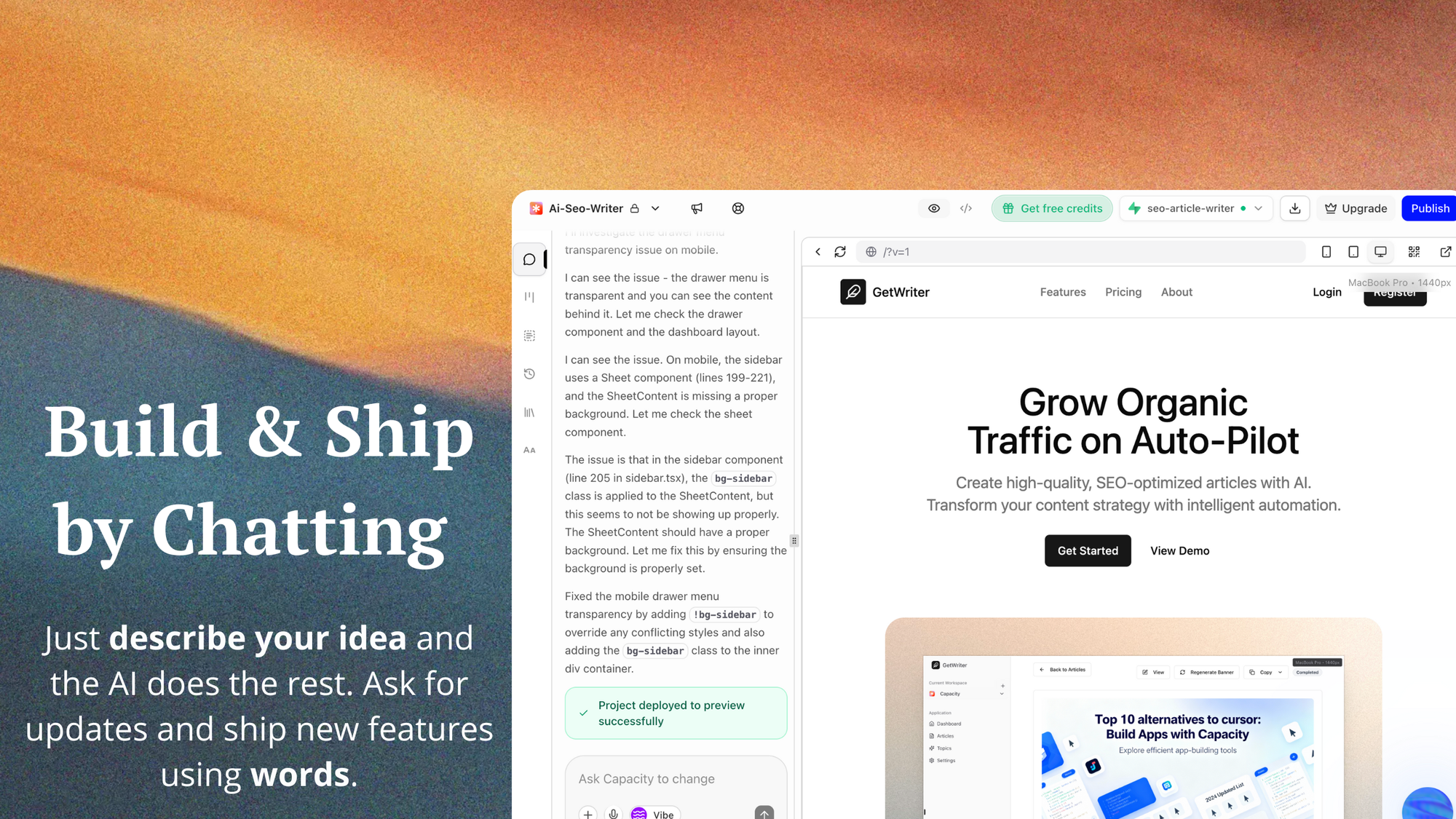
The AI Edge: More Than Just Convenience
Beyond speed and accessibility, AI-powered web development offers additional strategic advantages:
- Personalization at scale: AI can analyze your preferences or brand voice and tailor the site accordingly.
- Continuous optimization: Some AI platforms use analytics and feedback loops to suggest UX or SEO improvements over time.
- Future-proof technology: AI-generated code leverages modern frameworks, ensuring your website is maintainable and performant.
Expert Note: “AI doesn’t just make website creation easier—it empowers creators to focus on vision, content, and business impact rather than technical hurdles,” notes the team at Capacity, an AI-driven development platform at the forefront of this revolution.
How Do AI Website Builders Work?
Under the Hood: From Language Model to Launch
AI website builders harness advanced machine learning models—including large language models (LLMs) and generative design systems—to automate the three major phases of web creation:
- Input Understanding: The user describes their business, idea, or needs in natural language (e.g., “I need a portfolio for my photography business with a gallery and booking form”).
- Website Generation: The AI models generate:
- Site structure (pages, navigation hierarchy)
- Page layouts (headers, sections, footers, forms, galleries, etc.)
- Sample content (copywriting for headlines, about pages, product descriptions)
- Theming (colors, fonts, imagery)
- Production-ready code (using frameworks like Next.js, React, Tailwind CSS, TypeScript, and API layers)
- Customization & Deployment: Users can refine and customize the output using visual editors, AI-assisted prompt modifications, or—on platforms like Capacity—by downloading and editing the source code. The site can be instantly deployed to hosting providers like Vercel or AWS.
Differentiation: AI vs. Template Builders
While many platforms advertise “AI websites,” genuine AI website builders are markedly different from simple template-based tools:
| Feature | Template-Based | AI-Powered Website Builder |
|---|---|---|
| Customization | Limited (fixed layouts) | Highly dynamic – layouts, content, and styles adapt to your needs and input |
| Content Generation | User-written or pre-filled | Contextual, AI-written copy tailored to your purpose and tone |
| Code Output | Often closed-source | Some (like Capacity) provide exportable, production-ready code |
| Iteration Speed | Slower (manual edits) | Instant regeneration, auto-optimization |
Key Features to Look For in an AI Website Builder
Before diving in, it’s important to know what separates truly effective AI website platforms from those riding the AI hype. Here’s what to consider:
1. True AI-Driven Generation
A quality solution should genuinely generate layouts, copy, and code—not just modify templates.
2. Production-Ready Code
Look for platforms that offer downloadable/exportable, maintainable code. This gives you ultimate flexibility and ownership.
3. Modern Tech Stack
Ensure the underlying codebase uses up-to-date frameworks (like ViteJs, Next.js, React, Tailwind CSS, TypeScript, tRPC/REST APIs).
4. Customization Options
Great AI builders let you edit layouts, text, themes, and often regenerate sections with new prompts.
5. Seamless Deployment
Prefer solutions that support instant deployment to robust cloud platforms (Vercel, AWS) and ongoing hosting.
6. Collaboration Capabilities
Crucial for teams—multi-user editing, feedback, and iteration tools enhance project management.
7. Branding and SEO Tools
Brand colors, logos, and fonts should be customizable. Bonus points for built-in SEO optimization.
8. Ongoing Support and Documentation
A comprehensive knowledge base, responsive support, and frequent updates signal a reliable platform.
Pro Tip: Capacity is a standout among modern AI builders, checking all the boxes above with an enterprise-grade approach to no-code web application development.
Step-by-Step: Creating a Website With AI
Let’s break down the process of building a website with AI from vision to launch.
1. Planning and Vision
Before you ask any AI to build your website, clarify three key elements:
- Purpose: Is your website a portfolio, online store, SaaS dashboard, or informational site?
- Target Audience: Who will visit this site? What are their needs and expectations?
- Essential Features: List required components (blog, signup forms, integrations, payment processors, SEO, etc.).
Investing even 20 minutes here will result in a website that’s more aligned with your objectives.

2. Choosing the Right AI Platform
Your choice of platform determines the outcome. For most users, generators like Capacity offer the best balance of power, flexibility, and ease-of-use.
Consider:
- Do you want an app that’s “ready to go,” or do you need full code export for future customization?
- Is strong branding and SEO a priority?
- What integrations (APIs, analytics, payment, scheduling) do you need?
3. Generating Your Website Structure
AI-based platforms typically start with a conversational or form-based prompt. Example with Capacity:
- Describe Your Idea: “I want a modern property management dashboard for realtors to track properties, clients, and appointments.”
- AI Analysis: The platform parses your intent, generates a sitemap, and proposes an information hierarchy.
- Scaffold Generation: In seconds, the AI creates all essential pages, navigation, and backend connections.
4. Customizing Design and Content
With the initial version generated, use the platform’s tools to refine:
- Select or Adjust Visual Themes: Brand colors, typography, and logos.
- Edit or Regenerate Text Content: AI can rewrite headers, descriptions, product blurbs, and calls-to-action with different tones (formal, friendly, concise, etc.).
- Add/Remove Sections: Insert testimonials, pricing tables, galleries, or contact forms as needed.
- Rearrange Layouts: AI-powered platforms let you shuffle, duplicate, or redesign page layouts instantly.
For more hands-on creators, Capacity’s platform even allows direct editing of generated TypeScript/React code for granular control.
5. Adding Advanced Features and Integrations
Need a custom dashboard, RESTful APIs, course-building tools, analytics, or e-commerce modules?
Modern AI builders like Capacity can:
- Scaffold backend APIs (e.g., tRPC, REST)
- Integrate with payment processors (Stripe, PayPal)
- Embed analytics or marketing pixels
- Add SEO tools (meta tags, sitemap generation, rich snippets)
- Support real-time data with dynamic components
These features make it possible to build not just “websites,” but full-scale web applications.
6. Exporting, Deploying, and Collaborating
When your site is ready:
- Preview and QA: Test all interactions, responsiveness, and forms.
- Deploy Instantly: Most AI platforms enable 1-click deployments to the cloud.
- Export Code: For ongoing projects or team handoff, download the full codebase.
- Collaborate: Invite team members for feedback or parallel editing (especially on platforms like Capacity that excel at collaboration).
Capacity: An AI-Driven Development Powerhouse
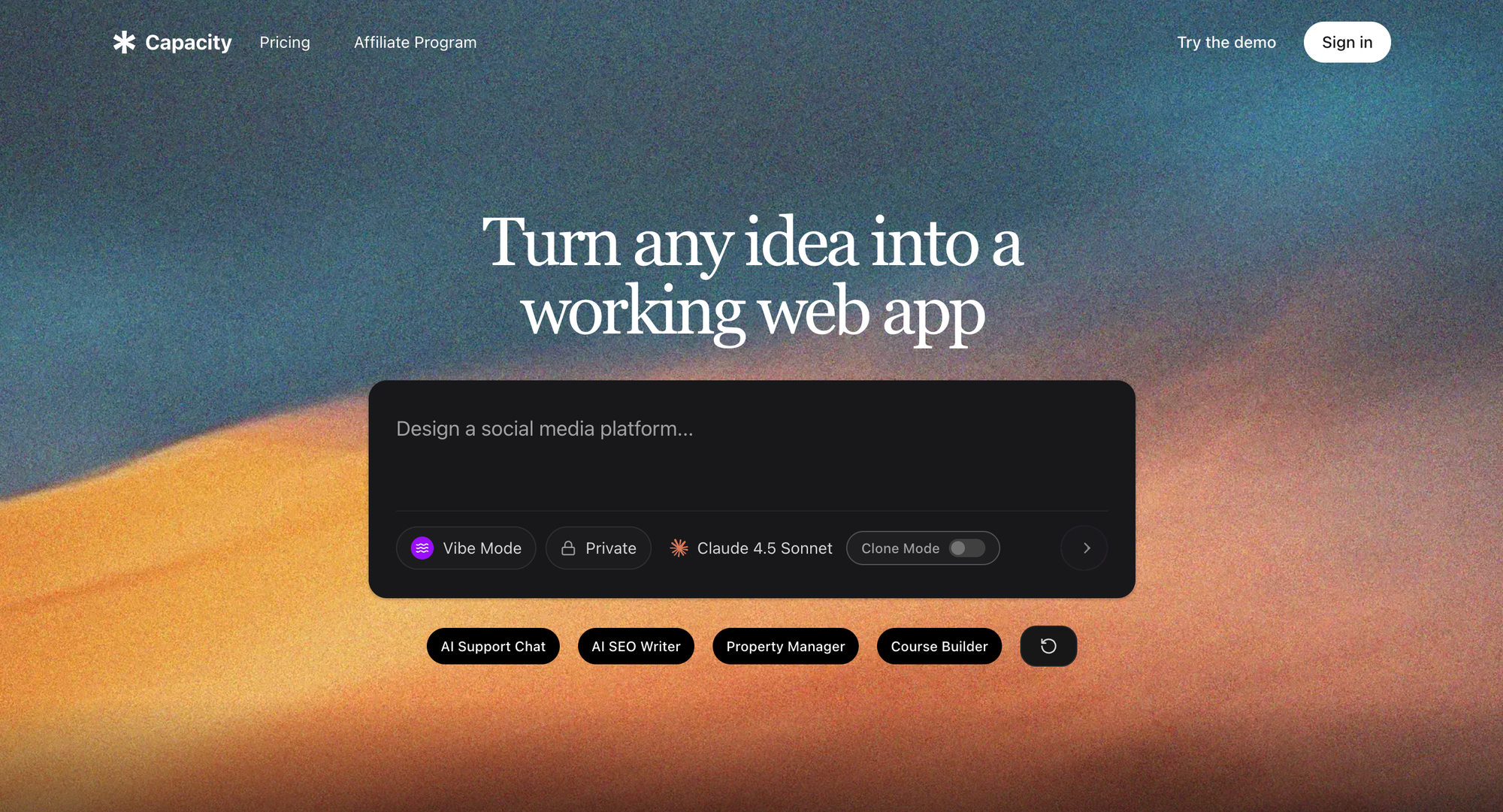
“At Capacity, we believe the next era of web development is about creative empowerment. Our mission is to dissolve technical boundaries and let teams—and solo creators—ship real, production-quality software from a single idea.”
— Capacity Team
What Sets Capacity Apart?
- Instant, Full-Stack Generation: From your idea, Capacity scaffolds everything: Next.js frontend, backend APIs, database models, React/TypeScript code, Tailwind CSS styling, and more.
- No Coding Required (But Code Included): Drag-and-drop simplicity for non-technical users; seamless code export for developers who want total control.
- Enterprise Workflow as Standard: Collaboration tools, versioning, team invites, and detailed documentation—the features you’ll need as your project grows.
- Flexibility Across Use Cases: Create dashboards, SEO platforms, property managers, course builders, and custom SaaS tools—all production-ready.
- Modern Tech Stack: Utilizes the best of current web technology (Next.js 13+, TypeScript, Tailwind CSS, tRPC/REST, etc.)
- Instant Deployment: Launch to Vercel or AWS in a few clicks, backed by robust hosting and cloud infrastructure.
Industry-Leading Security and Support
Capacity maintains enterprise-grade security standards and provides dedicated support and onboarding materials, giving you confidence whether you’re launching a side project or scaling up an internal tool.
Best Practices for AI Website Creation
To maximize the benefits of AI-driven web development, follow these actionable best practices:
1. Provide Detailed, Clear Prompts
The richer your input, the better the AI’s output. Mention specific sections, desired features, color preferences, and brand tone.
Example:
“Build a SaaS landing page with three pricing tiers, testimonial carousel, sign-up/login, blog section, and light blue primary colors.”
2. Iterate Rapidly
Take advantage of AI’s speed. Don’t aim for perfection in the first round—generate, preview, refine, and regenerate as needed.
3. Customize for Authenticity
While AI can output generic content quickly, adjust headlines, bios, and key calls-to-action so your site feels uniquely yours.
4. Prioritize Mobile Optimization
Ensure your AI-generated site looks great on all screen sizes. Most modern builders (including Capacity) generate responsive layouts, but always check with real-world devices.
5. Test User Flows and Integrations
Verify forms, payment processors, interactive features, and navigation thoroughly before launching.
6. Monitor SEO and Analytics
Utilize built-in SEO tools (meta tags, semantic HTML, schema markup) and integrate analytics to track performance and optimize.
Common Mistakes to Avoid
Even with powerful AI tools, pitfalls still exist. Avoid these common errors:
- Under-describing your needs: Vague prompts (e.g., “make me a website”) often yield generic or unsuitable results.
- Ignoring accessibility: AI can miss key accessibility concerns (contrast, alt text, keyboard navigation). Spot-check these post-generation.
- Skipping manual review: Don’t assume the AI’s first draft is flawless—review for factual accuracy, branding, and content tone.
- Neglecting SEO and page speed: Test your site with Lighthouse or PageSpeed Insights for optimization.
- Over-relying on AI for sensitive copy: Always human-review legal, medical, or compliance-related content.
Real-World Examples: What’s Possible with AI Website Builders?
The rise of AI-powered development tools has led to a new generation of websites and apps, such as:
- Custom Dashboards: Real estate property management platforms with property listings, sales analytics, and appointment tracking.
- Ecommerce Stores: Fully featured online shops with product pages, payment gateways, and AI-written product descriptions.
- Course Platforms: Interactive online education sites featuring user accounts, lesson management, quizzes, and certificates.
- Personal Portfolios: Visually stunning one-page portfolios, dynamically tailored to creative professionals’ work.
- SEO Tools: Automated audits, keyword tracking, and blog content suggestions generated through integrated AI analysis.
Platforms like Capacity have been key enablers for creators across industries to turn ideas into operational products in a fraction of the traditional time.
The Future of AI in Web Development
AI-driven website creation isn’t just a trend—it’s the foundation of the next era of digital entrepreneurship and business. According to Gartner, by 2026, 60% of new websites and applications will be AI-assisted, up from less than 5% in 2022.
Emerging directions include:
- Deeper Personalization: Real-time user segmentation, content recommendations, and UX optimizations powered by data-driven AI.
- Natural Language Site Management: Speak or type requests (e.g., “Add a blog section with three posts about AI and marketing”) for instant changes.
- Full-Stack AI Application Generation: Building not just static sites, but complex SaaS products, marketplaces, and internal tools from simple prompts.
- Greater Accessibility and Inclusion: AI-driven accessibility audits, language translation, and adaptive UI for diverse audiences.
The platforms shaping this future—like Capacity—will increasingly focus on empowering both technical and non-technical users, bridging the gap from idea to impact.
Conclusion: Empower Your Ideas With AI
AI website builders are radically reducing the barriers to entry in web development. What was once the realm of professional developers and designers is now open to all—with tools capable of transforming simple ideas into powerful, production-ready web experiences.
To maximize success:
- Be intentional in your planning and prompts.
- Choose a platform that emphasizes genuine AI generation, modern code, and customization power.
- Iterate rapidly, focus on brand authenticity, and verify accessibility, SEO, and integrations.
Platforms like Capacity have set a new standard—delivering not only stunning websites and apps within seconds but also handing users the keys to iterate, export, and scale on their terms.
Building or growing your digital presence no longer needs to be a bottleneck. By harnessing the power of AI, you can launch, iterate, and scale faster than ever before—transforming ideas into reality at the speed of imagination.
Ready to build your website with AI? Capacity is leading the way for creators and teams everywhere. Explore the possibilities, unleash your creativity, and let the next era of web development begin—with you at the helm.