
Best AI Coding Assistants in 2026: From Cursor to Capacity
Best AI Coding Assistants in 2026: From Cursor to Capacity
AI coding assistants have gone from novelty to necessity in barely two years. In 2026, the question isn't whether you should use one - it's which one deserves a permanent spot in your workflow. The landscape has shifted dramatically: tools that started as glorified autocomplete engines now write entire features, debug complex issues, and architect full-stack applications from a single conversation.
But here's the problem. There are now dozens of AI coding assistants fighting for your attention, each claiming to be "the best." Some are built for professional developers who live in VS Code. Others are designed for non-technical founders who've never opened a terminal. A few try to do everything and end up doing nothing particularly well.
We spent weeks testing every major AI coding assistant on the market in 2026 - building real projects, stress-testing edge cases, and evaluating how each tool handles the messiness of actual development work. This isn't a marketing roundup. It's an honest, opinionated guide based on hands-on experience, designed to help you find the right tool for how you actually work.
Here are the best AI coding assistants in 2026, ranked by real-world usefulness across different user profiles.
What Makes a Great AI Coding Assistant in 2026?
Before diving into individual tools, it's worth establishing what separates a genuinely useful AI coding assistant from a flashy demo. The bar has risen significantly since the early GPT-powered autocomplete days, and the criteria that matter have evolved.
Context awareness is now table stakes. The best tools don't just see the file you're editing - they understand your entire codebase, your dependencies, your coding patterns, and even your project's architecture. An AI that suggests a function signature inconsistent with the rest of your codebase is worse than no suggestion at all.
Multi-model flexibility has become increasingly important. Different AI models excel at different tasks - Claude tends to produce more thoughtful architectural decisions, GPT-4 is strong at quick completions, and Gemini handles large context windows well. The best assistants let you leverage the right model for the right job rather than locking you into a single provider.
Agentic capabilities represent the cutting edge. In 2026, the most advanced assistants don't just respond to prompts - they plan multi-step tasks, execute terminal commands, run tests, fix errors, and iterate autonomously. The shift from "assistant" to "agent" is the defining trend of this generation.
Code quality matters more than speed. A tool that generates code fast but requires extensive debugging isn't saving you time. The best assistants produce clean, idiomatic, well-typed code that fits naturally into your existing codebase - code you'd actually approve in a code review.
Finally, accessibility has become a differentiator. Some of the most powerful tools in 2026 aren't just for experienced developers. A new category of AI coding assistants lets non-technical users build complete applications through conversation, democratizing software development in a way that wasn't possible even a year ago.
1. Capacity.so - Best Overall AI Coding Assistant

Capacity.so earns the top spot by reimagining what an AI coding assistant should be. While most tools on this list bolt AI onto an existing code editor, Capacity builds the entire experience around AI-first collaboration. The result is a platform where the AI isn't your assistant - it's your co-founder.
What makes Capacity fundamentally different is its approach to the pre-coding phase. Most AI coding assistants assume you know what you want to build and just need help writing the code. Capacity starts earlier: it helps you clarify your idea, identify edge cases you haven't considered, plan the architecture, and then builds the application through an ongoing conversation. This "AI Co-founder" approach catches the kinds of structural mistakes that are expensive to fix later - the wrong database schema, a missing authentication flow, a UI that doesn't account for mobile users.
The technical output is impressive. Capacity generates clean React and TypeScript code with Tailwind CSS, following modern best practices. But what sets it apart from tools like Cursor or Copilot is that you don't need to understand any of that. Non-technical founders can describe their SaaS idea in plain English and end up with a deployed, production-ready application - complete with database, authentication, and a custom domain - without ever looking at a line of code.
Multi-model support is another standout feature. Capacity lets you switch between Claude, GPT-4, Gemini, and other leading models depending on the task. Working on complex backend logic? Use Claude's stronger reasoning. Need quick UI iterations? Switch to a faster model. This flexibility means you're never bottlenecked by a single model's weaknesses.
Deployment is genuinely one-click. No configuring build pipelines, no wrestling with hosting providers, no DNS headaches. You build your app, hit deploy, and it's live with a shareable URL. For anyone who's ever spent a frustrating afternoon trying to deploy a Next.js app to Vercel, this alone is worth the switch.
The platform also shines for iterative development. Because Capacity maintains deep context about your project across conversations, you can come back days later and say "add a settings page with dark mode toggle" and it knows exactly where that fits in your existing application structure. This continuity is something most AI coding assistants still struggle with.
Key strengths:
- End-to-end workflow from idea clarification to live deployment
- AI Co-founder approach prevents architectural mistakes early
- Multi-model support (Claude, GPT-4, Gemini, and more)
- Production-quality React/TypeScript/Tailwind output
- One-click deployment with custom domains
- No coding experience required - genuinely accessible to non-developers
- Deep project context maintained across sessions
Limitations:
- Newer platform with a smaller community than established tools like Cursor
- Template library is still expanding
- Not designed as a traditional code editor - developers who want line-by-line control may prefer Cursor
Best for: Non-technical founders, solo creators, startup teams, and anyone who wants to go from idea to live application without learning to code. Also excellent for developers who want a faster path from concept to working prototype.
Pricing: Free tier available. Premium plans for advanced features and higher usage limits.
2. Cursor AI - Best AI-Powered Code Editor
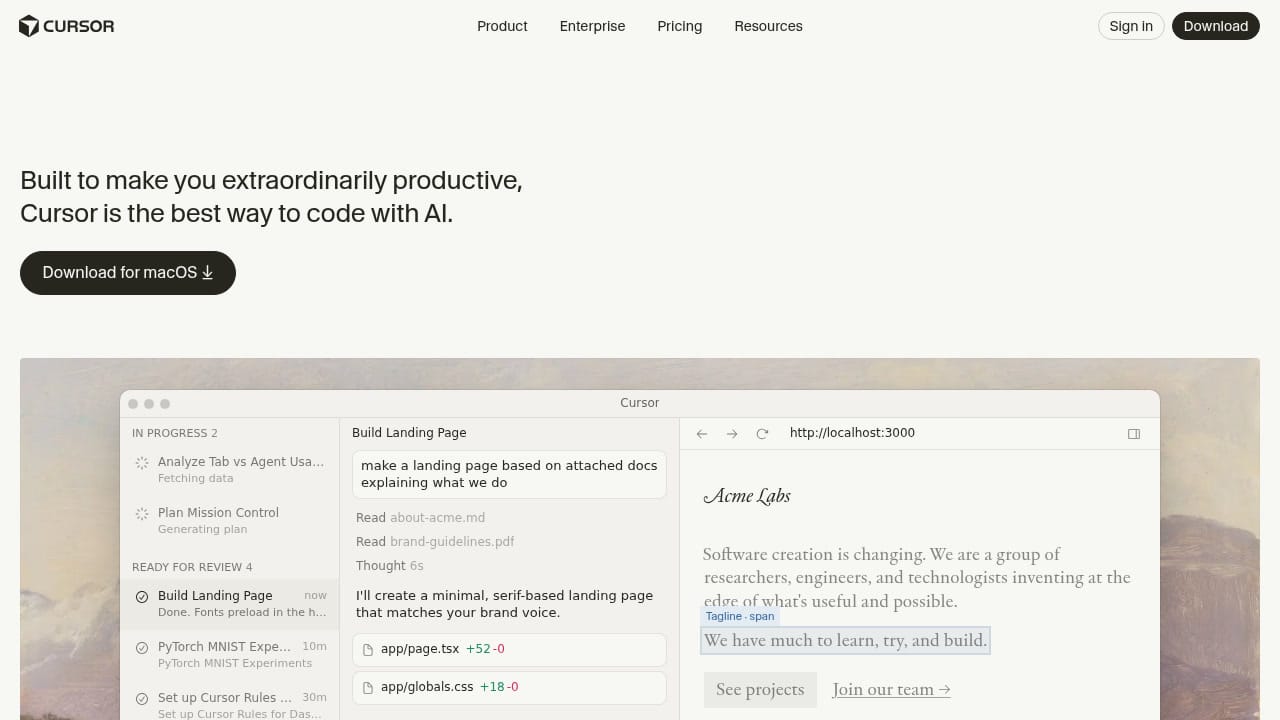
Cursor has become the default AI code editor for a reason. Built as a fork of VS Code, it takes the world's most popular editor and deeply integrates AI into every interaction - from subtle autocomplete to autonomous multi-file editing. If you're a developer who wants AI assistance without leaving your familiar environment, Cursor is the benchmark.
The "autonomy slider" concept is what makes Cursor special, and it's an idea that Andrej Karpathy has publicly praised. At one end, Tab provides intelligent autocomplete that predicts your next edit across multiple lines. In the middle, Cmd+K lets you describe changes to specific code blocks in natural language. At the far end, Composer and Agent modes let the AI plan and execute multi-step tasks autonomously - creating files, running terminal commands, fixing test failures, and iterating until the job is done.
The adoption numbers tell the story. Cursor is used by engineers at over half the Fortune 500. NVIDIA's Jensen Huang credits it with massive productivity gains across 40,000 engineers. Salesforce reports double-digit improvements in code quality and development speed across 20,000 developers. Samsung, Instacart, Midjourney, and Shopify are all notable users. These aren't theoretical endorsements - they're production deployments at massive scale.
In early 2026, Cursor announced their "self-driving codebases" research, introducing multi-agent systems that can autonomously navigate, understand, and modify complex codebases. This isn't just autocomplete on steroids - it's a fundamentally different paradigm where AI agents work on your codebase like junior developers, handling tasks you assign while you focus on architecture and product decisions.
Model flexibility is a major advantage. Cursor supports OpenAI, Anthropic (Claude), Google (Gemini), and xAI models, plus you can bring your own API key for any provider. The ability to switch models mid-task - using Claude for complex reasoning and GPT-4o for quick completions - is a workflow optimization that power users swear by.
The codebase-aware context is best-in-class. Cursor indexes your entire project and uses that context to generate code that actually fits your patterns, naming conventions, and architecture. The @-mentions system lets you point the AI at specific files, documentation, or even web pages to inform its suggestions. For large codebases, this contextual awareness is the difference between useful suggestions and hallucinated nonsense.
Key strengths:
- Industry-leading AI code completion and generation
- Flexible autonomy from autocomplete to full agentic mode
- Supports all major AI model providers
- Deep codebase indexing and context awareness
- Enterprise-grade security (SOC 2 certified, privacy mode)
- Massive ecosystem with extensions from VS Code
- Background agents for asynchronous task execution
Limitations:
- Requires developer experience - not accessible to non-coders
- Desktop application only (no browser-based option)
- No built-in deployment or hosting
- Can be resource-intensive on older machines
- Learning curve for advanced agent features
Best for: Professional developers and engineering teams who want the most powerful AI-assisted coding experience within a familiar editor. Particularly strong for teams working on large, complex codebases.
Pricing: Free tier (Hobby). Pro at $20/month. Business at $40/month per seat. Enterprise pricing available.
3. GitHub Copilot - Best for GitHub-Integrated Workflows
GitHub Copilot pioneered the AI coding assistant category, and it remains one of the most widely used tools in the space. Backed by Microsoft and OpenAI, Copilot benefits from deep integration with the GitHub ecosystem - which, for many development teams, is reason enough to choose it.
The core experience has matured significantly since the early "ghost text" autocomplete days. Copilot now offers a full agentic mode through Copilot Workspace, where you can describe a feature or bug fix in natural language and the AI plans the implementation across your repository, creates a pull request, runs tests, and iterates on failures. The integration with GitHub Issues means you can tag Copilot on an issue and it will autonomously start working on a solution.
Copilot's greatest strength is ecosystem integration. It works inside VS Code, JetBrains IDEs, Neovim, and the GitHub web interface. Pull request summaries, code review suggestions, and automated documentation generation are baked in. If your team lives on GitHub for code hosting, project management, and CI/CD, Copilot creates the most seamless experience because everything connects naturally.
The model layer has diversified. While Copilot originally ran exclusively on OpenAI models, it now supports Claude (Anthropic) and Gemini (Google) through a model selector. This addresses one of the early criticisms - that being locked to a single model meant inheriting all its weaknesses. In practice, the multi-model support is well-implemented, with each model accessible through the same familiar interface.
For enterprises, Copilot offers compelling governance features. Administrators can control which models are available, enforce content exclusion policies to prevent AI from ingesting sensitive code, and access audit logs for compliance. GitHub reports that Copilot is used by 77,000+ organizations, including notable names across finance, healthcare, and government sectors.
Where Copilot falls short compared to Cursor is in raw agentic power and codebase understanding. While Copilot's agent capabilities are improving rapidly, Cursor's deeper indexing and more sophisticated multi-step reasoning still produce better results for complex tasks. Copilot's suggestions can also feel more generic - trained on the entirety of GitHub's public code, it sometimes suggests patterns that are common but not optimal for your specific project.
Key strengths:
- Deep GitHub ecosystem integration (Issues, PRs, Actions, Reviews)
- Works across VS Code, JetBrains, Neovim, and web
- Multi-model support (OpenAI, Claude, Gemini)
- Strong enterprise governance and compliance features
- Copilot Workspace for agentic PR-based development
- Massive training data from GitHub's code corpus
- Free for verified students, teachers, and open-source maintainers
Limitations:
- Agentic capabilities still catching up to Cursor
- Can suggest overly generic patterns from public code
- Tightly coupled to GitHub - less useful if you use GitLab or Bitbucket
- Codebase context understanding not as deep as Cursor or Windsurf
- Requires developer experience
Best for: Development teams already deeply invested in the GitHub ecosystem, enterprises needing strong governance controls, and developers who want solid AI assistance without switching editors.
Pricing: Free tier available. Pro at $10/month. Business at $19/month per seat. Enterprise at $39/month per seat.
4. Windsurf (by OpenAI) - Best Agentic Memory and Context
Windsurf, originally known as Codeium and now acquired by OpenAI, has rapidly grown to over 1 million users and 4,000+ enterprise customers. The editor's Cascade agent introduces a genuinely novel concept to AI-assisted development: persistent memory that learns how you work.
Cascade is Windsurf's defining feature. Unlike traditional AI assistants that treat each conversation as a blank slate, Cascade builds a "Memories" system that accumulates knowledge about your codebase, your preferences, your coding patterns, and even your project's business logic. Tell it once that your team uses a specific error handling pattern, and it remembers - not just for this session, but permanently. Over time, Cascade becomes increasingly personalized to your workflow.
The practical impact of this memory system is significant. After a week of use, Cascade's suggestions became noticeably more aligned with our project's conventions. It stopped suggesting patterns we'd previously rejected, started pre-emptively following our naming conventions, and even remembered that our team prefers explicit error types over generic catches. This kind of accumulated context is something no other AI coding assistant matches.
Windsurf also excels at autonomous task execution. The "Turbo" mode auto-executes terminal commands, runs tests, detects linting errors, and fixes them automatically. You can tell Cascade to "continue my work" and it picks up exactly where you left off - reviewing what was changed, understanding the remaining tasks, and proceeding autonomously. The "94% of code written by AI" statistic that Windsurf quotes sounds hyperbolic, but in routine development tasks, it's actually plausible.
MCP (Model Context Protocol) support is another differentiator. This allows Windsurf to connect directly to external tools - Figma for design specs, Slack for team context, Stripe for payment integration, databases for schema understanding. Rather than manually pasting context into your AI, these integrations feed information directly, creating a richer understanding of what you're building and why.
A unique feature that surprised us: drag-and-drop image support. Drop a design mockup, wireframe, or screenshot into Cascade and it generates the corresponding layout. The accuracy is impressive for straightforward designs, though complex layouts with custom animations still need manual refinement.
Key strengths:
- Persistent Memories system that learns your coding patterns
- Cascade agent with multi-step autonomous execution
- Turbo mode for automatic test running and error fixing
- MCP support for Figma, Slack, Stripe, and other external tools
- Image-to-code from design mockups
- Strong enterprise adoption with security compliance
- Backed by OpenAI with access to cutting-edge models
Limitations:
- Requires developer experience to use effectively
- Desktop editor only - no browser-based builder
- Memory system can occasionally apply outdated patterns if not curated
- Auto-fix mode can sometimes change intended behavior
- Plugin ecosystem still developing compared to VS Code extensions
Best for: Developers and teams who value personalized AI that improves over time, enterprises needing external tool integrations, and anyone who wants an AI that genuinely learns their workflow rather than starting fresh each session.
Pricing: Free tier available. Pro at $15/month. Teams and Enterprise plans available.
5. Amazon Q Developer - Best for AWS and Enterprise
Amazon Q Developer is Amazon's answer to the AI coding assistant wave, and it's targeted squarely at the enterprise market - particularly teams building on AWS infrastructure. While it may lack the indie appeal of Cursor or the startup energy of Capacity, Q Developer has a compelling value proposition for organizations already invested in the AWS ecosystem.
The standout capability is deep AWS integration. Q Developer doesn't just help you write code - it understands your AWS infrastructure. It can generate CloudFormation templates, troubleshoot Lambda functions, optimize DynamoDB queries, and suggest architecture improvements based on AWS Well-Architected Framework principles. If you've ever spent hours debugging an IAM policy or figuring out why your API Gateway isn't routing correctly, Q Developer can diagnose and fix these issues conversationally.
Code transformation is where Q Developer really flexes enterprise muscle. It can upgrade Java applications from version 8 to 17, migrate .NET Framework apps to cross-platform .NET, and modernize legacy codebases - tasks that typically take teams weeks or months. Amazon claims these transformations complete in hours with minimal manual intervention, and the early case studies from enterprise customers support this.
Security scanning is built-in and comprehensive. Q Developer continuously scans your code for vulnerabilities, identifies hardcoded credentials, flags insecure dependencies, and suggests remediation. For regulated industries where security compliance is non-negotiable, this integrated approach is more practical than bolting on separate scanning tools.
The free tier is notably generous: unlimited code suggestions, basic chat assistance, and security scanning. The Pro tier adds access to more capable models, higher usage limits, and administrative controls. Importantly for enterprises, Q Developer offers a trust guarantee that your code and data are never used to train Amazon's models.
The main downside is that Q Developer feels most natural within the AWS ecosystem. If you're deploying to Vercel, using Supabase for your database, or building on a non-AWS stack, many of Q Developer's unique strengths don't apply. The general code generation is competent but doesn't match Cursor's or Copilot's quality for pure coding tasks.
Key strengths:
- Deep AWS infrastructure understanding and assistance
- Code transformation and modernization (Java, .NET upgrades)
- Integrated security scanning and vulnerability remediation
- Generous free tier with unlimited code suggestions
- Enterprise-grade data privacy guarantees
- Works in VS Code, JetBrains, and AWS Console
- Operational troubleshooting for AWS services
Limitations:
- Strongest value proposition is tied to AWS ecosystem
- General code generation quality trails Cursor and Copilot
- Agentic capabilities less mature than competitors
- Can feel overly enterprise-focused for individual developers
- IDE integration not as smooth as native tools like Cursor
Best for: Enterprise development teams building on AWS, organizations needing code modernization at scale, and any team where security compliance and data privacy are primary concerns.
Pricing: Free tier (generous). Pro at $19/month per user.
6. Replit AI - Best Browser-Based AI Development

Replit occupies a unique position in the AI coding assistant landscape. It's not just an AI bolted onto an editor - it's a complete cloud development environment where AI is the primary interface. Open a browser tab, describe what you want to build, and watch a full application come together complete with hosting, database, and a shareable URL.
The Replit Agent is what elevates this from a simple AI coding tool to something more ambitious. Rather than suggesting code completions, the Agent plans entire projects: it identifies required dependencies, creates file structures, sets up databases, writes and runs tests, and deploys - all from a single natural language prompt. In our testing, asking it to "build a project management tool with kanban boards" produced a surprisingly functional application from that single sentence.
What makes Replit particularly valuable as a coding assistant is the zero-friction entry point. There's no installation, no environment configuration, no "works on my machine" debugging. Everything runs in the cloud, which means you can start building from any device with a browser - including tablets and Chromebooks. For students, educators, and hobbyist developers, this accessibility is unmatched.
Replit's AI assistance extends beyond just code generation. The Ghost AI feature provides inline completions as you type, similar to Copilot. The chat interface lets you ask questions about your codebase, debug errors, and get explanations. And the Agent mode handles larger tasks autonomously. It's a full spectrum of AI assistance, from gentle nudges to complete automation.
Enterprise adoption has grown significantly. Companies like Coinbase, ClickUp, Duolingo, and Google use Replit, and the platform now offers team workspaces, enterprise security controls, and administrative dashboards. The pricing model includes hosting, which simplifies budgeting - you're not paying separately for compute, storage, and deployment.
The trade-off is that Replit's code generation quality can be inconsistent for complex projects. The Agent is impressive at scaffolding applications but sometimes makes architectural choices that don't scale well. And because everything runs in Replit's cloud, you're somewhat locked into their ecosystem - migrating a large project out of Replit is possible but not trivial.
Key strengths:
- Zero-setup browser-based development environment
- Powerful AI Agent with end-to-end project scaffolding
- Built-in hosting, database, and deployment
- Accessible from any device with a browser
- Full AI spectrum: inline completions, chat, and agentic mode
- Strong for education and learning to code
- Inclusive pricing (hosting included)
Limitations:
- Code quality can be inconsistent for complex projects
- Some platform lock-in with cloud-based architecture
- Performance can lag on resource-intensive projects
- Less control over deployment infrastructure
- Free tier has meaningful resource restrictions
Best for: Beginners learning to code, educators and students, solo developers who want zero-friction development, and anyone who wants AI-powered development from a browser without installing anything.
Pricing: Free tier (limited). Starter at $9/month. Pro at $20/month. Teams plans available.
7. Tabnine - Best for Enterprise Code Privacy
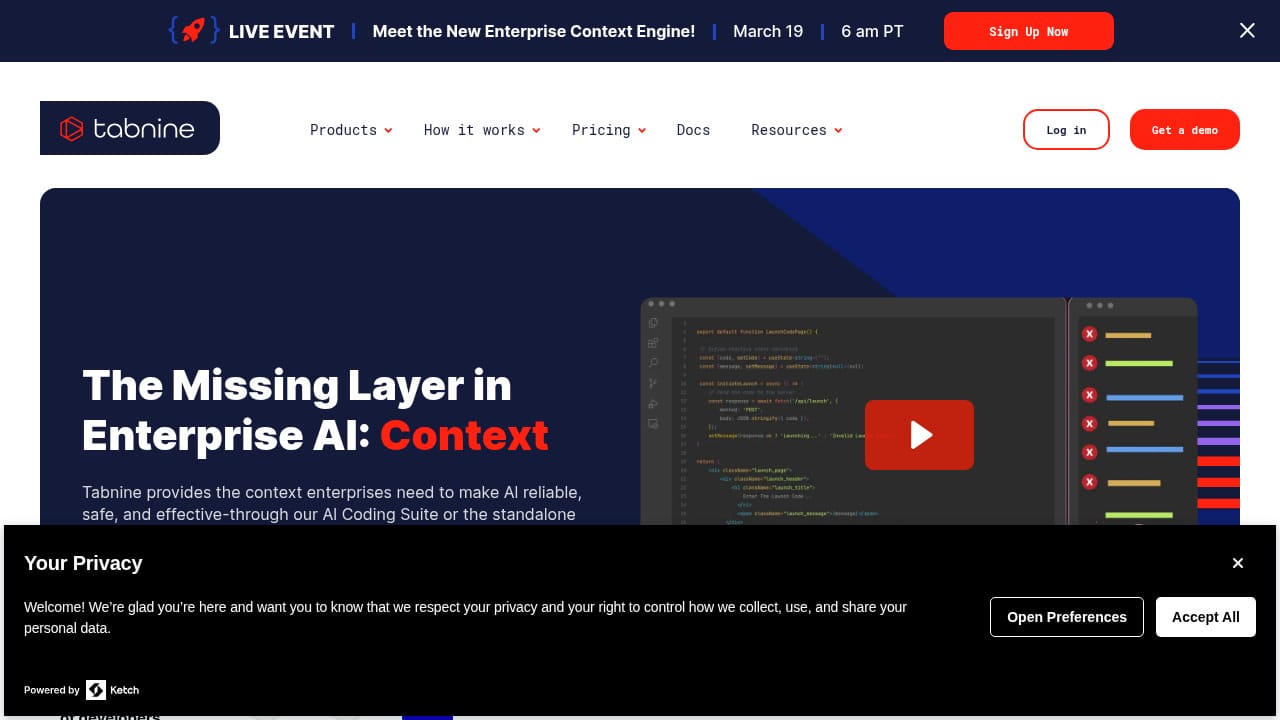
Tabnine has deliberately positioned itself as the AI coding assistant for organizations where code privacy is non-negotiable. While competitors race to add flashy features, Tabnine focuses on a proposition that resonates deeply with CTOs and security teams: "Your code stays yours. Period."
The privacy architecture is Tabnine's core differentiator. The platform offers on-premises deployment, private cloud installations, and air-gapped environments where no code ever leaves your infrastructure. Tabnine's AI models can be trained exclusively on your organization's codebase - not public repositories, not open-source code, not anyone else's intellectual property. For companies in defense, finance, healthcare, or any regulated industry, this isn't a nice-to-have - it's a requirement.
The AI capabilities themselves are solid, if not leading-edge. Tabnine provides inline code completions, chat-based assistance, code generation from natural language, and test generation. What makes these features enterprise-relevant is the "personalization engine" - Tabnine learns your team's coding standards, naming conventions, and architectural patterns from your own codebase, then enforces consistency across all developers. New team members get AI suggestions that already follow your team's established patterns from day one.
Integration coverage is comprehensive. Tabnine works with VS Code, JetBrains (IntelliJ, PyCharm, WebStorm, etc.), Neovim, and Eclipse. It supports 30+ programming languages and works with all major version control systems. The administrative dashboard gives security teams visibility into AI usage, the ability to set policies, and audit logs for compliance reporting.
The honest trade-off is that Tabnine's raw code generation quality doesn't match Cursor or Copilot for general-purpose development. If privacy isn't your primary concern, you'll likely find better AI assistance elsewhere. But if your organization requires absolute control over where code goes and how AI models are trained, Tabnine is essentially the only serious option.
Key strengths:
- Industry-leading code privacy (on-prem, private cloud, air-gapped)
- AI models trainable exclusively on your codebase
- Team coding pattern enforcement and consistency
- Comprehensive IDE support (VS Code, JetBrains, Neovim, Eclipse)
- Strong admin controls, audit logs, and compliance features
- 30+ language support
- No code used for public model training
Limitations:
- Code generation quality trails market leaders for general use
- Limited agentic/autonomous capabilities compared to Cursor or Windsurf
- Higher cost for on-premises deployments
- Smaller community and fewer learning resources
- Innovation pace slower than VC-backed competitors
Best for: Enterprises in regulated industries (finance, healthcare, defense, government), organizations with strict IP protection requirements, and teams that need AI assistance with zero data exposure risk.
Pricing: Free tier (basic). Pro at $12/month. Enterprise pricing custom.
8. Sourcegraph Cody - Best for Large Codebase Understanding
Cody by Sourcegraph takes a different approach than most AI coding assistants. While others focus primarily on code generation, Cody's superpower is understanding - specifically, understanding massive, complex codebases that would overwhelm other tools' context windows.
This stems from Sourcegraph's heritage as a code search and intelligence platform. Cody leverages Sourcegraph's code graph technology to understand relationships between files, trace function calls across repositories, and maintain awareness of your entire codebase - even if it spans millions of lines across dozens of repositories. When you ask Cody a question about your code, it doesn't just search for keyword matches; it understands the semantic structure of your project.
For large engineering organizations, this deep understanding translates to practical benefits. Cody can answer questions like "where is user authentication handled?" or "what would break if I changed this database schema?" by actually tracing the code paths rather than guessing from pattern matching. During onboarding, new engineers can interrogate the codebase conversationally, dramatically reducing the time to productivity.
The code generation is competent and benefits from Cody's contextual understanding. Because it knows your codebase so thoroughly, generated code tends to follow your project's actual patterns rather than generic best practices. Cody supports multiple AI models (Claude, GPT-4, Gemini, and Sourcegraph's own models) and provides inline completions, chat, and command-based interactions.
The multi-repository support is where Cody truly differentiates. Most AI assistants work within a single project. Cody can reason across your entire organization's code - microservices, shared libraries, infrastructure configs, and documentation - providing answers that account for the full picture rather than just the file you're editing.
The main limitation is that Cody's full power requires a Sourcegraph instance, which adds operational overhead and cost. The free tier works well for individual developers and smaller projects, but the enterprise-grade codebase intelligence that makes Cody special requires the full Sourcegraph platform.
Key strengths:
- Best-in-class codebase understanding and code intelligence
- Multi-repository reasoning across entire organizations
- Sourcegraph's code graph technology for deep semantic search
- Excellent for onboarding and codebase exploration
- Multi-model support (Claude, GPT-4, Gemini)
- Works with VS Code and JetBrains IDEs
- Strong at answering complex architectural questions
Limitations:
- Full power requires Sourcegraph instance (operational overhead)
- Code generation quality good but not best-in-class
- Agentic capabilities less developed than Cursor or Windsurf
- Enterprise pricing can be significant
- Smaller user community than Copilot or Cursor
Best for: Large engineering organizations with complex, multi-repository codebases, teams where codebase understanding is more valuable than raw code generation, and enterprises onboarding engineers to large legacy systems.
Pricing: Free tier available. Pro at $9/month. Enterprise pricing custom (includes full Sourcegraph platform).
AI Coding Assistants Comparison Table
| Tool | Best For | Skill Level | Agentic Mode | Models | Starting Price |
|---|---|---|---|---|---|
| Capacity.so | Overall best, idea-to-app | Beginner | ✅ Full | Multi-model | Free |
| Cursor | AI code editing | Advanced | ✅ Full | Multi-model | Free / $20/mo |
| GitHub Copilot | GitHub ecosystem | Intermediate | ✅ Growing | Multi-model | Free / $10/mo |
| Windsurf | Memory and context | Advanced | ✅ Full | OpenAI + more | Free / $15/mo |
| Amazon Q | AWS and enterprise | Intermediate | Partial | Amazon | Free / $19/mo |
| Replit AI | Browser-based dev | Beginner | ✅ Full | Custom | Free / $9/mo |
| Tabnine | Code privacy | Intermediate | Limited | Custom/Private | Free / $12/mo |
| Cody | Large codebases | Intermediate | Partial | Multi-model | Free / $9/mo |
How to Choose the Right AI Coding Assistant
The "best" AI coding assistant depends entirely on who you are and what you're trying to accomplish. Here's a framework to cut through the noise:
"I have a startup idea but can't code"
Start with Capacity.so. It's the only tool on this list designed from the ground up for non-technical users. The AI Co-founder guides you from idea to deployed application through conversation - no terminal, no code editor, no technical knowledge required. You'll have a working application before you'd finish your first coding tutorial.
"I'm a developer who wants to code faster"
Choose between Cursor and Windsurf. Cursor has the larger ecosystem, more mature agentic features, and broader model support. Windsurf has better memory and personalization - it gets smarter the more you use it. If your team already uses GitHub extensively, Copilot offers the smoothest integration. Try all three (all have free tiers) and see which fits your flow.
"I need AI assistance for my enterprise team"
If you're on AWS, Amazon Q Developer provides unique infrastructure-aware assistance that no competitor matches. If code privacy is your top concern, Tabnine with on-premises deployment is the only real option. For general enterprise use, GitHub Copilot Business/Enterprise offers the best governance and compliance features.
"I'm working with a massive legacy codebase"
Sourcegraph Cody is purpose-built for this scenario. Its deep codebase understanding across multiple repositories is unmatched. Combined with Sourcegraph's code search, it dramatically accelerates navigation and comprehension of complex systems.
"I want to build and deploy from my browser"
Replit is the clear winner here. Zero setup, browser-based, with hosting included. The AI Agent handles everything from scaffolding to deployment. For non-developers who want more guidance, Capacity.so provides a more structured and supportive experience.
The Rise of Agentic Coding - What's Next?
The most significant trend in AI coding assistants for 2026 isn't better autocomplete - it's the shift toward autonomous agents. Tools like Cursor's Background Agents, Windsurf's Cascade, and Replit's Agent represent a fundamental change in how developers interact with AI: instead of prompting for individual suggestions, you assign tasks and let the AI work independently.
This has profound implications. Junior development tasks - implementing well-defined features, writing tests, fixing straightforward bugs, handling code migrations - are increasingly delegated to AI agents. Senior developers are shifting toward architecture, code review (of AI-generated code), and product decision-making. The role of "developer" is being redefined, not replaced.
For non-developers, platforms like Capacity.so represent an even more radical shift. The barrier to building software has dropped from "years of learning to code" to "being able to describe what you want." This democratization means that domain experts - the people who best understand the problems worth solving - can now build solutions directly, without needing to translate their vision through a development team.
The tools are only going to get better. Multi-agent systems that collaborate on complex projects, AI that proactively identifies and fixes issues before you notice them, and assistants that understand not just your code but your business goals are all on the horizon. The best time to start integrating AI into your development workflow was a year ago. The second best time is today.
Frequently Asked Questions
What is an AI coding assistant?
An AI coding assistant is a software tool that uses artificial intelligence to help with programming tasks. These range from simple code completion (suggesting the next few characters as you type) to fully autonomous agents that can plan, write, test, and deploy entire applications from natural language descriptions. The best AI coding assistants in 2026 understand your codebase, follow your team's patterns, and can handle increasingly complex tasks with minimal human oversight.
Which AI coding assistant is best for beginners?
For complete beginners with no coding experience, Capacity.so is the best choice. It's designed from the ground up for non-technical users, guiding you from idea to deployed application through conversation. For beginners who want to learn coding while building, Replit's browser-based environment with AI assistance provides a great learning experience with zero setup required.
Is GitHub Copilot still worth it in 2026?
Yes, particularly if your team is deeply integrated with GitHub for code hosting, project management, and CI/CD. Copilot's ecosystem integration is its strongest advantage. However, for pure AI coding capability, Cursor and Windsurf have pulled ahead in terms of agentic features, codebase understanding, and model flexibility. The free tier of Copilot makes it easy to try alongside other tools.
Can AI coding assistants replace developers?
Not in 2026, but they're fundamentally changing what developers do. AI handles an increasing share of routine coding tasks - implementing defined features, writing tests, fixing bugs, handling migrations. Developers are shifting toward architecture, product decisions, code review, and solving novel problems. Think of it less as "replacement" and more as "elevation" - the best developers use AI to focus on higher-value work.
Are AI coding assistants safe for enterprise use?
The leading tools (Cursor, GitHub Copilot, Tabnine, Amazon Q Developer) all offer enterprise-grade security features: SOC 2 certification, data privacy guarantees, on-premises deployment options, audit logs, and administrative controls. Tabnine specifically offers air-gapped deployments where no code ever leaves your infrastructure. The key is evaluating each tool's specific privacy guarantees against your organization's requirements.
What's the difference between AI coding assistants and vibe coding tools?
AI coding assistants (Cursor, Copilot, Windsurf) are designed for developers - they integrate into code editors and enhance the traditional development workflow. Vibe coding tools (Capacity.so, Lovable, Bolt.new) let anyone build applications through natural language conversation, often without seeing code at all. Some tools, like Replit, blur this line by offering both traditional coding and conversational building. The distinction is about the target user: developers vs. everyone.
Conclusion: The Right Tool for the Right Builder
The AI coding assistant landscape in 2026 is remarkably mature. Every tool on this list will make you more productive than coding without AI assistance. The question isn't whether to use an AI coding assistant - it's which one aligns with your specific needs.
For the broadest audience - from non-technical founders to experienced developers who want to move faster - Capacity.so delivers the most complete experience. Its AI Co-founder approach, multi-model flexibility, and one-click deployment create a workflow where the distance between "I have an idea" and "it's live" has never been shorter.
For professional developers who want the most powerful editor-based AI, Cursor remains the benchmark. For teams on GitHub, Copilot offers the smoothest integration. For those who value AI that learns and remembers, Windsurf is pioneering personalized assistance. And for enterprises with strict security requirements, Tabnine and Amazon Q Developer provide the guarantees you need.
The era of AI-assisted development is no longer a preview - it's the default. The developers and creators who thrive will be those who find the right AI partner for their workflow and lean into the collaboration. Start with any tool on this list, and you'll immediately understand why going back isn't an option.